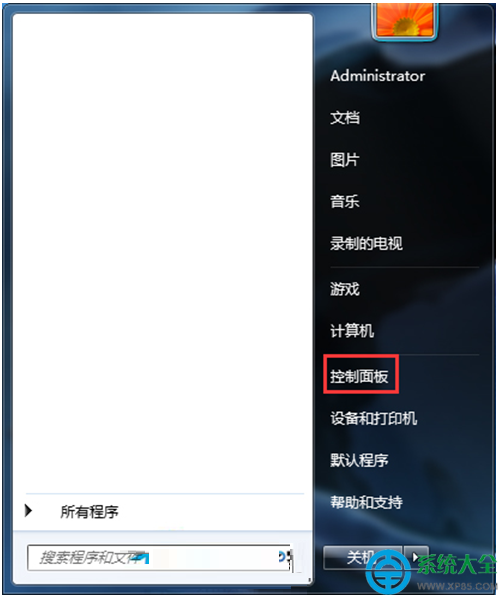
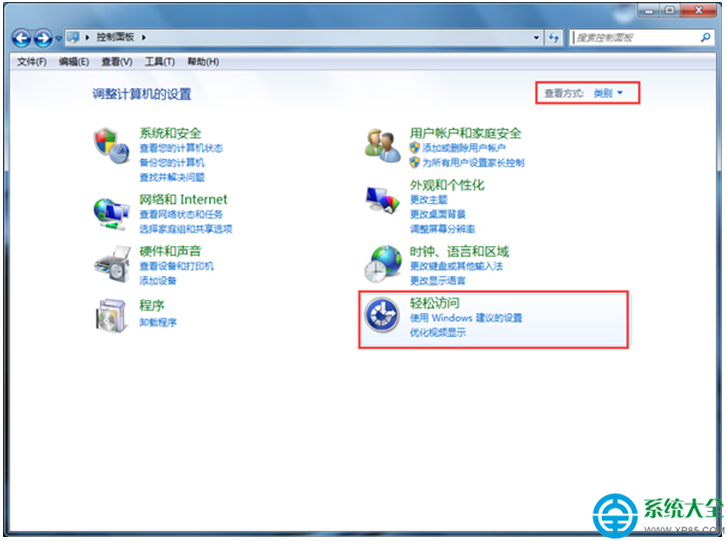
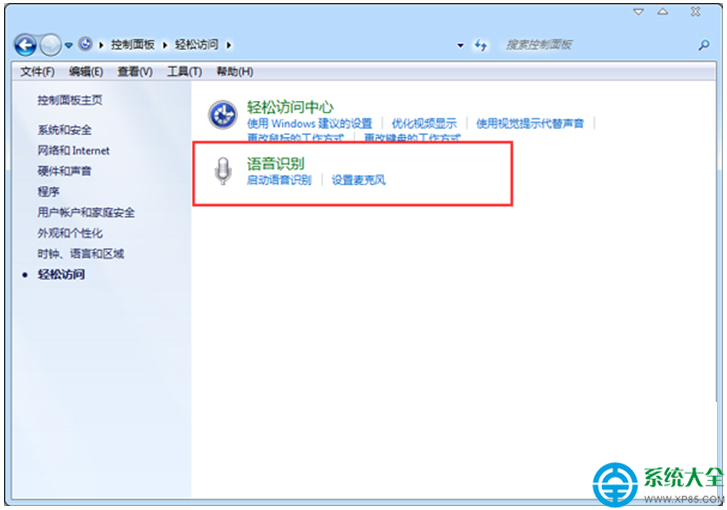
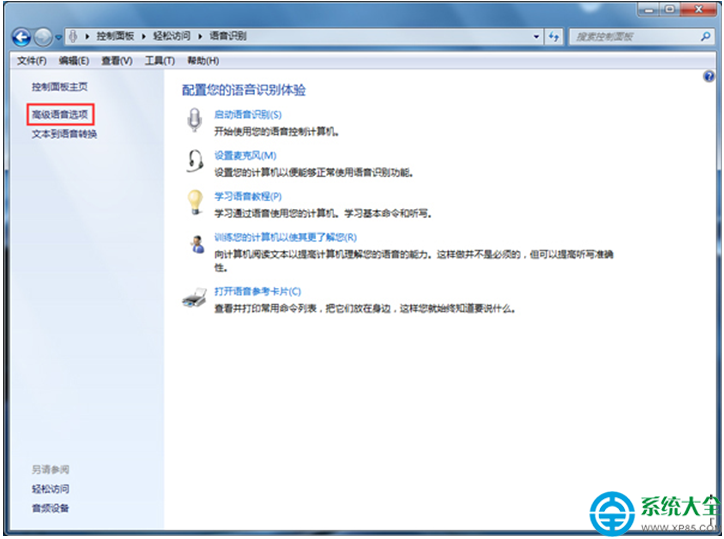
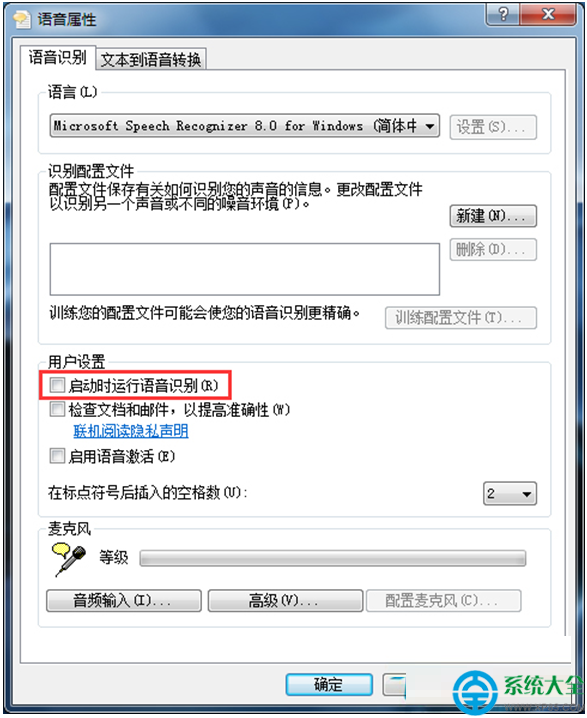
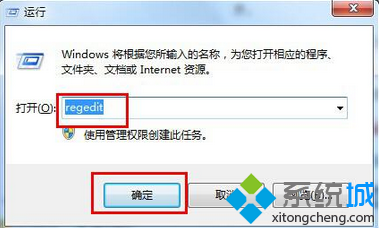
Windows 7 內建語音辨識功能預設可能隨開機自動啟動,若不需使用可透過控制台停用,減少資源佔用。
設定完成後,語音辨識將不再隨系統開機自動啟動。
Win7 系統進程 System Idle Process 佔用 99% CPU 是正常現象,非病毒
Win7 登入 192.168.1.1 設定無線路由器密碼完整圖文教學
Win7自帶「問題步驟記錄器」:不是視頻錄製,但能生成帶截圖的MHTML操作報告
Win7 旗艦版開啟資料夾/工作列玻璃透明效果教學
Win7 桌面右鍵選單不顯示或一閃而過怎麼辦?五大排查步驟
Win7 程式庫功能深度解析:建立、分類、共享與網路資料夾整合
Win7 查找與刪除系統更新檔案:三大路徑 + 360 修復漏洞清理目錄
Win 7 ReadyBoost 免加記憶體提速:USB/SD 當快取,支援 32GB、8 裝置並行、啟動加速