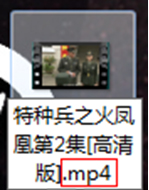
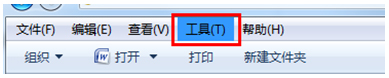
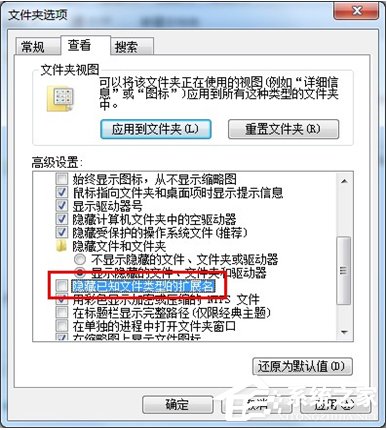
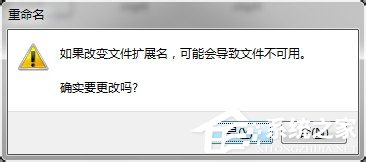
.ifox
.mp4
iFox 格式實為 MP4 容器封裝的專有擴展名,視訊/音訊編碼均為標準 H.264/AAC,改回 .mp4 即被通用播放器識別,無需轉碼、無畫質損失、秒級完成。
老電腦能不能裝 Windows 10?兼容性檢查與升級建議全攻略
Windows 7 滑鼠右鍵重新整理桌面反應慢?清理右鍵選單殘留項目
Win7 設定待機/睡眠時間:省電延壽命的完整圖文教學
開機按 F1 才能進入系統?BIOS 設定錯誤、CMOS 電池、軟碟機/硬碟偵測異常完整排查與修復
Win7 關閉 Windows 錯誤修復畫面:系統屬性與 BCDEdit 兩種方法
長期對著電腦身體不適?醫生教你「四防一練」科護眼護身
CPU 超頻導致 Win7 藍畫面三大對策:拒絕軟體超頻、塗抹矽脂、強化機箱散熱
Win7 如何設定無線網路連線?從控制台到系統匣完整連線圖文教學