Windows 7 資源回收筒內的檔案刪除不掉、顯示「無法刪除:檔案系統錯誤」,通常是磁碟邏輯錯誤導致檔案系統標記異常。使用 chkdsk 掃描修復即可解決。
cmd 開啟命令提示字元(建議以系統管理員身分執行)。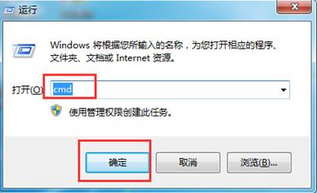
chkdsk d: /f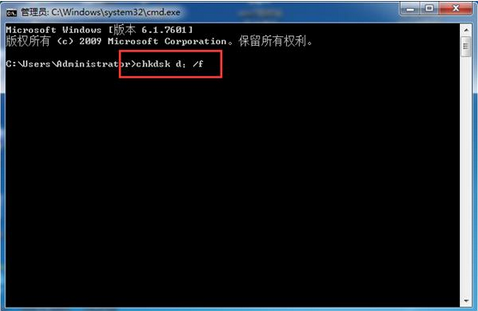
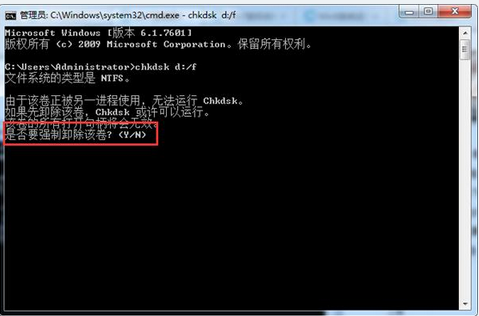
/f 參數:修復磁碟上的錯誤;/r 參數:另掃描壞軌並嘗試復原資料(耗時較久),嚴重情況可用 chkdsk d: /f /r。Win7 解決 c:\windows\temp\*.tmp 檔案損毀無法讀取的快速清理法
Win7 無法建立資料庫錯誤 16389?群組原則限制「Windows 檔案總管」權限所致
Win7 設定僅允許特定 USB 隨身碟存取 透過硬體 ID 與群組原則實現
Win7 用 ncpa.cpl 指令秒開網路連線:Win+R 輸入 ncpa.cpl 直達介面卡設定
解決 Windows 7 顯示「啟用失效/產品 ID 無效」:軟體保護服務 sppsvc 被禁用的排查與修復
Windows 7 回收站清不乾淨佔用空間?用 chkdsk 強制修復檔案系統