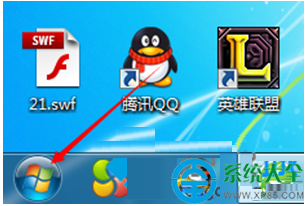
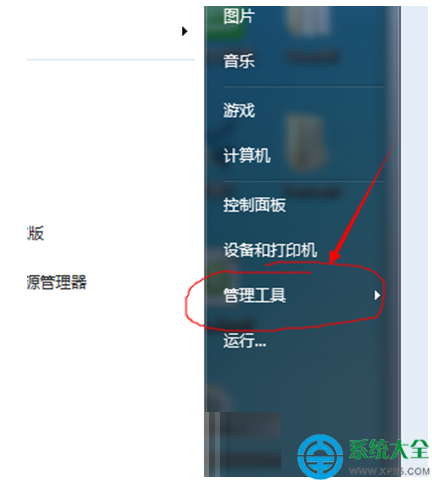
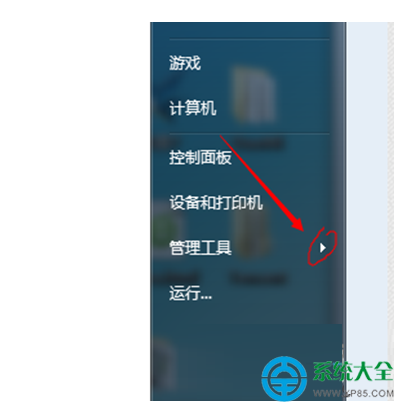
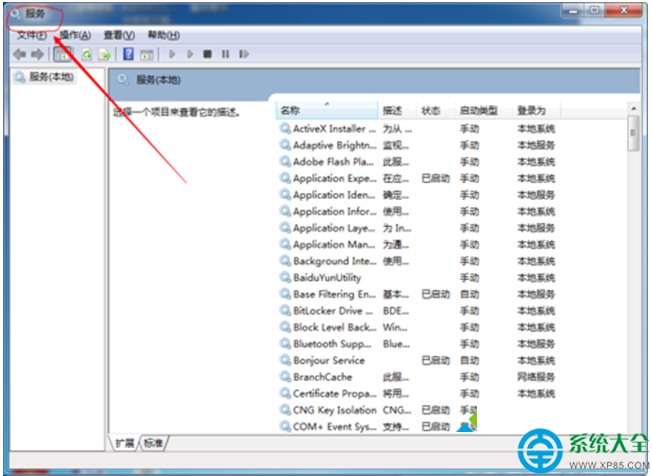
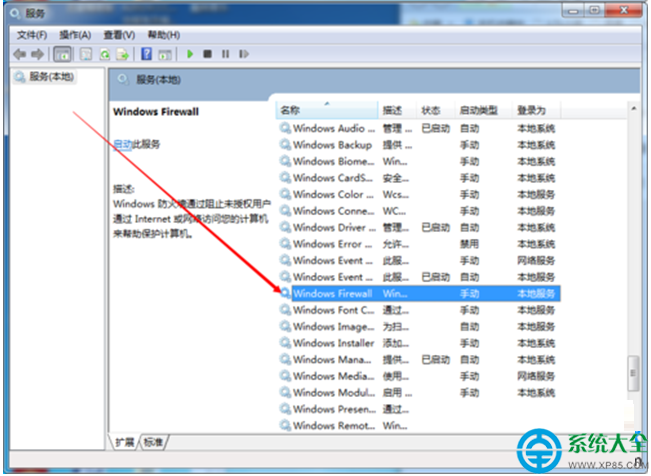
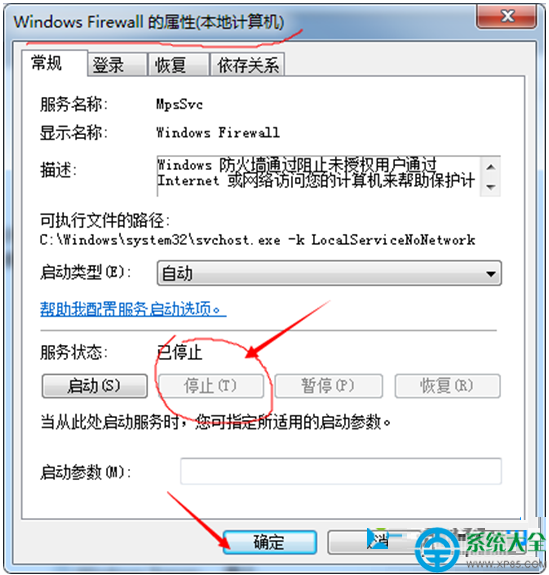
Windows 7 內建防火牆有時會誤攔截 League of Legends (LOL) 的遊戲封包,導致進入遊戲顯示「網路連線異常」。暫時停用防火牆服務可快速驗證是否為防火牆所致。
重要提醒:停用防火牆會降低系統安全性,僅建議作為臨時測試。確認是防火牆問題後,請重新啟用服務,並在「進階設定」→「輸入規則」中為 LOL 遊戲執行檔(LeagueClient.exe, RiotClientServices.exe 等)新增「允許連線」規則,或將遊戲目錄加入例外。
LeagueClient.exe
RiotClientServices.exe
Win7桌面頑固圖示「傳奇霸業」徹底清除指南
Win7顯卡驅動更新失敗、無法安裝?三大解決方案含手動刪除殘留驅動法
Win7 藍牙設定選項灰色不可選?啟動 Bluetooth 支援服務與重裝驅動解決
Win7 系統開啟 RAR 檔案完整教學:工具選擇與兩大解壓操作詳解
Win7 CPU 超頻藍屏解決全攻略:散熱、電壓、頻率三維調優
升級電腦電源與顯卡搭配指南:250W電源能否帶動GTX 650?
Win7 使用「自動更新」免費升級 Win10 完整流程圖解(含時程參考)
解決 Win7 系統中文亂碼問題(註冊表字元集修復)