Windows 7 備份出現錯誤 0x800423 通常是 Volume Shadow Copy(磁碟陰影複製)服務被停用導致。啟用該服務即可恢復備份功能。
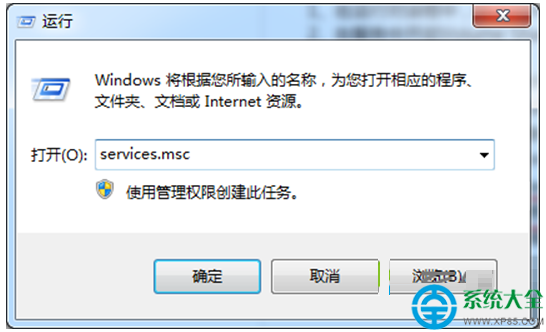
services.msc 開啟服務管理員。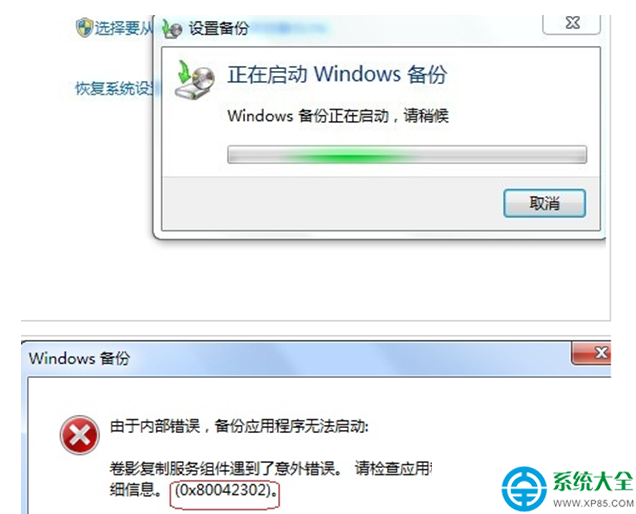
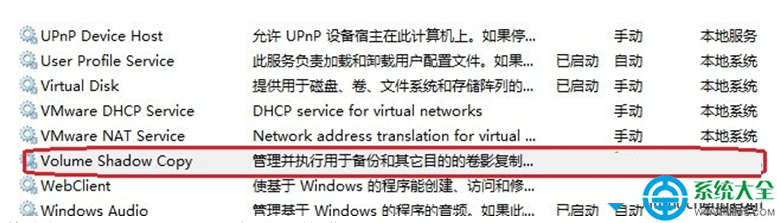
服務啟用後備份功能應即刻恢復正常。
Win 7 瘦身三大絕招:移動虛擬記憶體、壓縮 WinSxS、關閉休眠,輕鬆騰出 3GB+ 空間
Win7 讀取 Administrator 屬性報錯怎麼辦?啟用 Server 與 Workstation 服務解決
Win7 運行軟體提示「無法定位動態連結庫 user32.dll」完整解決方案
Windows 7 無法停止 Windows Modules Installer 服務?修正登錄映像路徑或命令重設
Win7 關閉自動更新的正確方法:服務停用、群組原則、註冊表三種方案
重裝 Win7 後無法啟動 CentOS 6.4?Grub 修復與雙系統引導恢復