使用 Windows 7 內建的 Internet Explorer 下載檔案時,進度條經常卡在 99% 停滯不前,需要等待很久才能完成,甚至完全沒有反應。
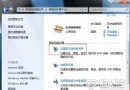
這是 IE 的 SmartScreen 篩選器 在掃描檔案安全性時造成的延遲。只需關閉此功能即可恢復順暢下載:
小提醒:關閉 SmartScreen 篩選器雖能加速下載,但會失去惡意網站與檔案的即時防護。建議在下載可信任來源檔案時暫時關閉,下載完成後重新啟用,或改用具備下載掃描功能的第三方下載工具。
Win7 字體太小看不清?調整 DPI 縮放與自訂文字大小,保護眼睛從這裡開始
Win7 如何移除 BLD Base Service 流氓軟體?控制台解除安裝 + IObit 強力掃描殘留
Windows 7 媒體中心深度體驗:數位電視、網路電視、RAW 照片支援
Win7 BitLocker 磁碟加密全流程:右鍵啟用 → 設密碼 → 備份金鑰 → 自動加密 → 重開機完成
Win7 安裝 .NET Framework 4.0 後藍屏?安全模式解除安裝、或更新顯卡驅動解決相容衝突
Win7 VPN 連線錯誤 809?註冊表刪除 ProhibitIpSec 或新增 AssumeUDPEncapsulationContextOnSendRule 修復