Windows XP Windows 7 Windows 2003 Windows Vista Windows 綜合教學 Linux 系統教學
Windows 10 Windows 8 Windows 2008 Windows NT Windows Server 電腦軟體教學

Windows 7 離線下載功能:註冊表啟用 AwayMode 讓系統休眠時持續下載

編輯:Win7 系統應用技巧

Windows 7 內建「離線模式」 (Away Mode) 讓系統進入類似休眠的低功耗狀態,但網路、下載、錄影等背景工作持續運作。透過註冊表啟用,下載大檔案時也能讓電腦「休息」。

啟用步驟

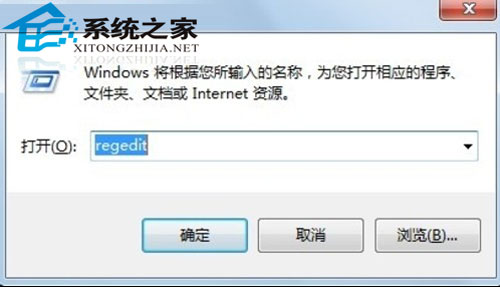
  1. Win + R → regedit。
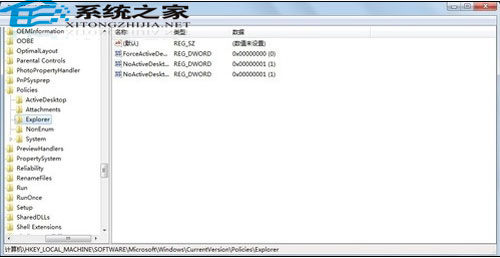
  2. 定位:HKEY_LOCAL_MACHINE\SYSTEM\CurrentControlSet\Control\Session Manager\Power。
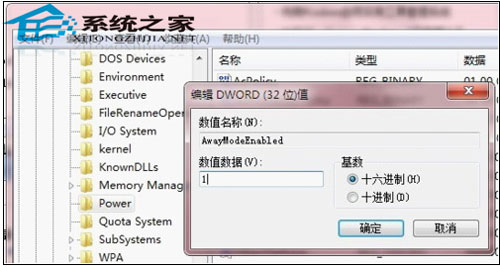
  3. 右側空白處右鍵 → 「新增」→「DWORD (32 位元) 值」→ 命名 AwayModeEnabled → 數值設 1 (十六進位)。
  4. 關閉註冊編輯器,重新開機生效。

開啟註冊編輯器

定位 Power 機碼

新增 AwayModeEnabled=1

停用方式

同路徑刪除 AwayModeEnabled 值或設為 0,重開機生效。

啟用後,選擇「睡眠」實際進入 Away Mode:螢幕關閉、風扇停轉、指示燈閃爍,但網路連線維持、下載持續。適合夜間下載大型遊戲/影片、BT 离线下载等場景。

Copyright © Windows教程網 All Rights Reserved