Windows XP Windows 7 Windows 2003 Windows Vista Windows 綜合教學 Linux 系統教學
Windows 10 Windows 8 Windows 2008 Windows NT Windows Server 電腦軟體教學

Win7 用 CMD 指令刪除 Windows.old 釋放磁碟空間

編輯:Win7 系統應用技巧

什麼是 Windows.old?

升級或重裝 Windows 7 時,舊系統檔案會被移至 C:\Windows.old(或 $WINDOWS.OLD),佔用數 GB 空間。確認新系統穩定後可安全刪除。

刪除步驟

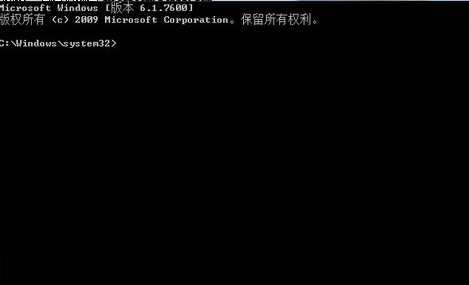
  1. 開始搜尋框輸入 cmd,右鍵「cmd.exe」選擇 「以系統管理員身分執行」。
  2. 以管理員身分執行 CMD

  3. 在命令提示字元輸入以下指令並按 Enter:
    rd /S /Q C:\Windows.old
    或
    rd /S /Q C:\$WINDOWS.OLD
  4. 系統提示確認刪除時輸入 Y 按 Enter,靜待完成。

參數說明

  • /S:刪除目錄樹(包含子目錄)。
  • /Q:安靜模式,不逐一確認(搭配 Y 確認整體)。

注意事項

  • 刪除前請確認無需從舊系統回覆個人檔案(如「我的文件」舊版資料)。
  • 若權限錯誤,可先以 takeown /F C:\Windows.old /R 取得擁有權再執行刪除。
  • 此法亦適用於刪除 Windows.old.000 等多重備份資料夾。
Copyright © Windows教程網 All Rights Reserved