Windows XP Windows 7 Windows 2003 Windows Vista Windows 綜合教學 Linux 系統教學
Windows 10 Windows 8 Windows 2008 Windows NT Windows Server 電腦軟體教學

Win7 硬碟圖示想換?建立 autorun.inf + .ico 檔案自訂磁碟機圖示

編輯:Win7 系統應用技巧

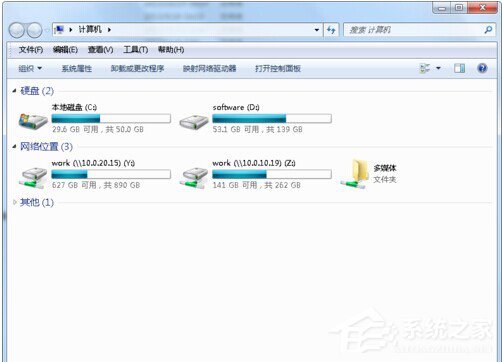
厭倦預設硬碟圖示?在磁碟根目錄放置 favicon.ico 圖示檔與 autorun.inf 設定檔,重開機即可生效,支援硬碟、USB 隨身碟、外接硬碟(網路磁碟機不適用)。

操作步驟

  1. 開啟「資料夾選項」→ 「檢視」 → 取消勾選「隱藏已知檔案類型的副檔名」。
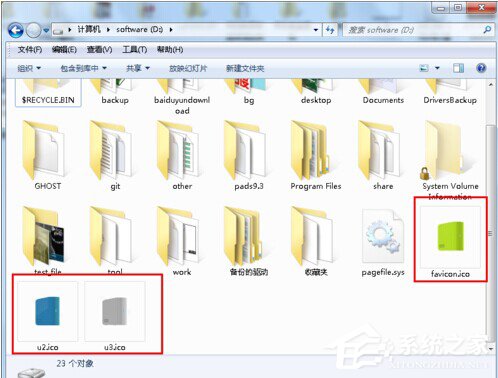
  2. 準備一張 .ico 格式圖片(可用線上轉換工具由 PNG/BMP 轉換),命名為 favicon.ico 放入目標磁碟根目錄(如 D:\)。
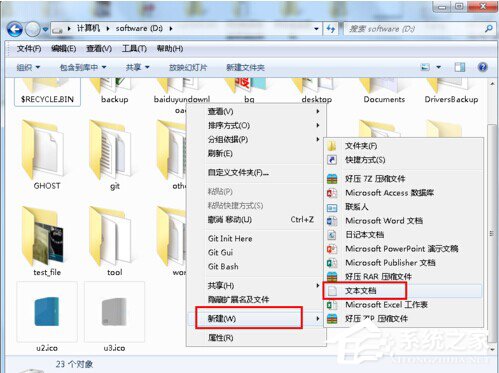
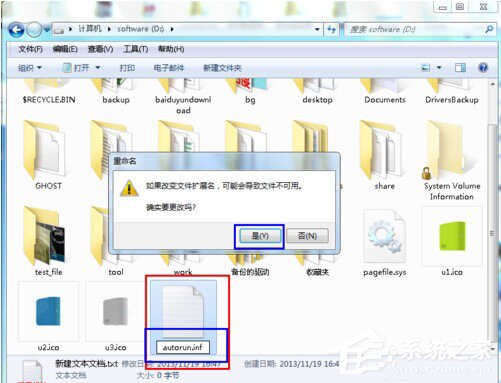
  3. 在同目錄新建文字文件,命名為 autorun.inf(確認副檔名為 .inf 非 .txt)。
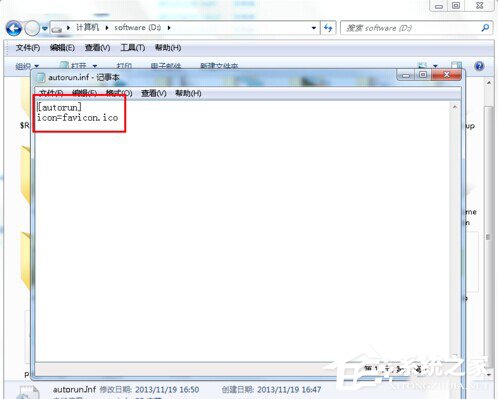
  4. 用記事本開啟 autorun.inf 輸入:
    [autorun]
    icon=favicon.ico
    儲存關閉。
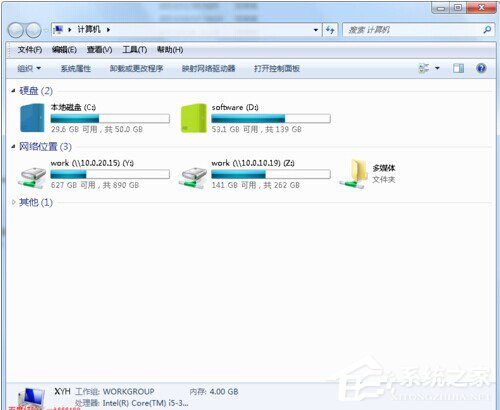
  5. 重新啟動電腦,「電腦」中該磁碟圖示即更新為自訂圖示。

若圖示未更新,檢查 autorun.inf 內容編碼是否為 ANSI/UTF-8 無 BOM,且 favicon.ico 檔案未損壞。此法不修改系統檔案,安全可逆。

Copyright © Windows教程網 All Rights Reserved