Windows XP Windows 7 Windows 2003 Windows Vista Windows 綜合教學 Linux 系統教學
Windows 10 Windows 8 Windows 2008 Windows NT Windows Server 電腦軟體教學

Win7 執行 Python (.py) 檔案:安裝 Python 解讀器並關聯檔案類型

編輯:Win7 系統應用技巧

Windows 7 雙擊 .py 檔案預設以記事本開啟,無法直接執行。安裝 Python 解讀器後,系統自動關聯 .py 檔案類型,即可雙擊執行腳本。
安裝步驟

  1. 前往 python.org 下載 Windows 安裝包 (建議 Python 3.x 最新版)。
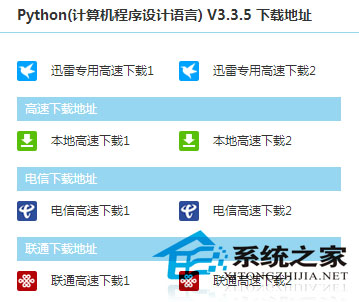
  2. Python 官網下載頁面

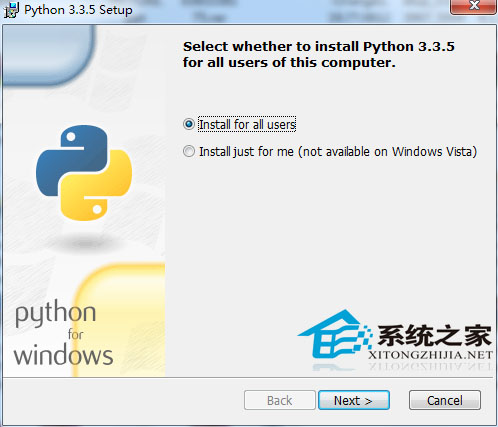
  3. 執行安裝程式 → 勾選 Add Python to PATH (關鍵步驟) →「Install Now」。
  4. Python 安裝勾選 Add to PATH

  5. 安裝完成無需額外設定,開源軟體無捆綁推廣。

驗證與使用

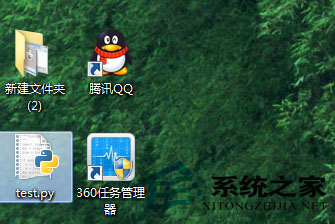
  1. 安裝後所有 .py 檔案圖示變為 Python 圖示。
  2. Python 檔案圖示變更

  3. 雙擊 .py 檔案即可在命令視窗執行 (若為 GUI 程式則直接啟動視窗)。
  4. 命令列輸入 python --version 驗證安裝成功。

進階提示

  • Python 腳本首行建議加入 #!/usr/bin/env python3 (Shebang) 利於跨平台
  • 虛擬環境 (venv) 隔離專案依賴,避免套件衝突
  • IDE 推薦:VS Code + Python 延伸模組、PyCharm Community、Thonny (初學者友善)

Python 語法簡潔、標準庫豐富,零基礎 1-2 小時即可入門,適合自動化腳本、資料分析、Web 開發等多元應用。

Copyright © Windows教程網 All Rights Reserved