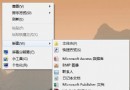
點擊視窗下方「在網路上尋找合適的程式」,Windows 會連線搜尋並提供下載連結。
設定完成後,該副檔名所有檔案雙擊即以指定程式開啟,解決多軟體搶佔關聯導致的開啟混亂問題。
Windows 7 磁碟機圖示異常?兩招修復 autorun.inf 損壞與代號重掛載
電腦藍屏怎麼修?別盲目重裝,「三步定位、對症下藥」才是正道
開機卡在「Press F2 to continue」?BIOS 設定錯誤或軟碟機殘留導致,恢復預設值即解決
光驅圖標消失怎麼辦?設備管理器、BIOS、線材三步排查法找回光驅
電腦開機不久自動關機怎麼辦?完整排查與解決指南
Win7 IE 瀏覽器開網頁遊戲白屏怎麼辦?重置 IE 並啟用軟體渲染解決
Win7 網卡驅動裝不上?手動更新、驅動精靈、群組原則啟用驅動簽名忽略三大方案
Win7 重開機後 USB 3.0 失效?關閉 USB 根中樞節電功能徹底解決