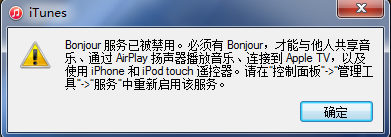
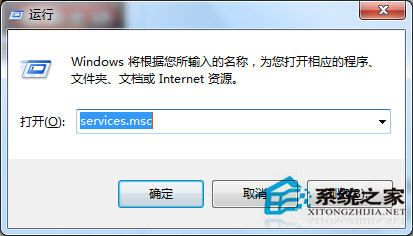
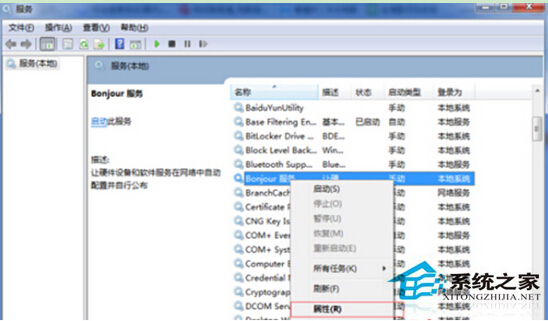
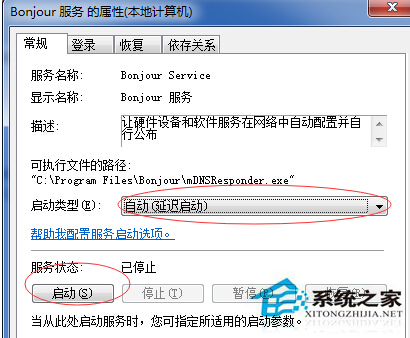
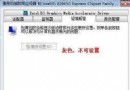
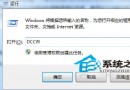
iTunes 相依 Bonjour 服務 進行裝置發現與同步。若服務被停用(常見於優化軟體誤關),iTunes 將無法啟動並彈出錯誤。將服務設為「自動(延遲啟動)」並啟動即可解決。
services.msc
補充:Bonjour 為 Apple 零組態網路協定,亦用於印表機共享、AirPlay 等。若完全不使用 Apple 裝置,可保持停用;但安裝 iTunes 即代表需要此服務,建議設為延遲啟動平衡開機速度與功能可用性。
Win7 電源計畫四大切換法:工作列、控制台、行動中心、powercfg 指令完整圖解
Win7 無法開啟「動作中心」?啟動 Security Center 服務即可修復
Win7 工作管理員被鎖定無法開啟?群組原則一鍵解鎖
Win7 Print Screen 全螢幕截圖黑畫面?登錄表修改 Timeout 值即時修復
Win7 提升顯卡效能三大關鍵:正確驅動、散熱、供電穩定
Win7 徹底刪除不需要的系統服務:登錄編輯法
Win7 提示「由於沒有安裝音量控制程式」無法顯示小喇叭?五大修復:補 sndvol32.exe、修復工具、停用 SSDP/UPnP、登錄恢復 Systray、重開機
Win7「System Idle Process」佔用 90%+ CPU 是正常現象:系統閒置進程原理解析與誤區澄清