Rundll32.exe 是 Windows 核心元件,負責在記憶體中載入並執行 DLL(動態連結程式庫)檔案的匯出函式,正常路徑為 C:\Windows\System32\Rundll32.exe。但惡意程式常同名偽裝。本文完整解析「三種正常/異常出現情況、病毒偽裝辨譽法、五步驟修復流程、各版本 Windows 缺失檔案補齊路徑」,附圖文輔助判斷。
| 情況 | 說明 | 處置 |
|---|---|---|
| 1. 顯卡程式呼叫 | NVIDIA/AMD/Intel 顯卡控制面板、熱鍵服務會呼叫 Rundll32 執行 DLL 功能 | 正常,可結束進程/停用服務不影響系統核心 |
| 2. 流氓/惡意程式呼叫 | 廣告軟體、瀏覽器劫持者、掛馬網頁下載器利用 Rundll32 執行惡意 DLL | 需查殺,屬異常 |
| 3. 路徑判斷 | 僅 C:\Windows\System32\ 與 C:\Windows\System32\dllcache\ 下的 Rundll32.exe 為合法,其他路徑(如 Temp、AppData、Program Files 非系統資料夾)均為病毒/木馬 | 非標準路徑立即隔離查殺 |
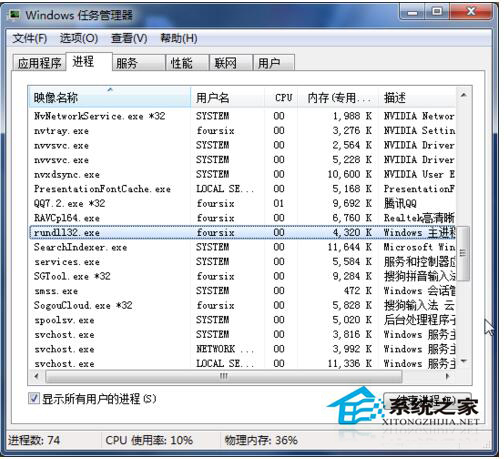
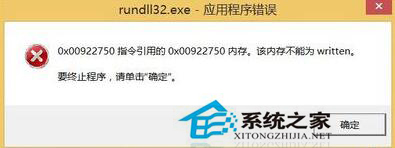
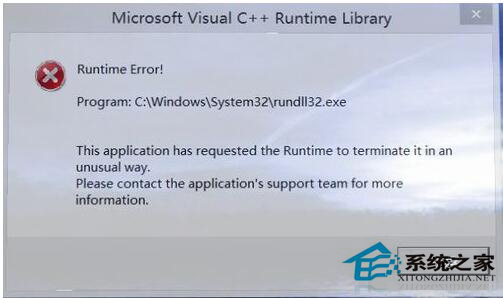
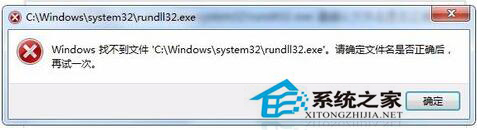
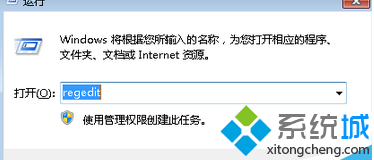
explorer.exe 與可疑 Rundll32.exe。msconfig 或授權軟體(如 360、火綿)清除開機自啟的惡意 Rundll32 項目。%temp%、C:\Windows\Temp、瀏覽器快取)。| Windows 版本 | 補齊目標路徑 |
|---|---|
| Windows 95/98/Me | C:\Windows\System32\ |
| Windows NT/2000 | C:\WINNT\System32\ |
| Windows XP | C:\Windows\System32\ |
| Windows 7/8/10/11 | C:\Windows\System32\ |
※ 來源檔案須從相同版本、相同位元數(32/64-bit)、相同語言的健康系統複製,或從原版安裝映像(install.wim)用 DISM/7-Zip 提取。
掌握上述辨識與修復知識,即可從容應對 Win7 環境下的 Rundll32.exe 相關異常,守護系統純淨與穩定。