Windows XP Windows 7 Windows 2003 Windows Vista Windows 綜合教學 Linux 系統教學
Windows 10 Windows 8 Windows 2008 Windows NT Windows Server 電腦軟體教學

Win7 ReadyBoost 無法啟用?啟用 Superfetch 服務即可解決

編輯:Win7 系統應用技巧

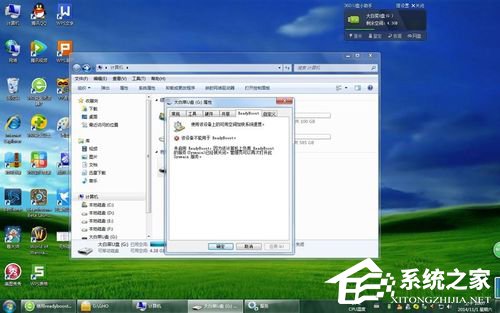
ReadyBoost 需要 Superfetch (SysMain) 服務運行才能運作。若服務被停用,插入 USB 隨身碟時會提示無法啟用。本文教你透過服務管理工具啟用 Superfetch,恢復 ReadyBoost 功能。

解決步驟

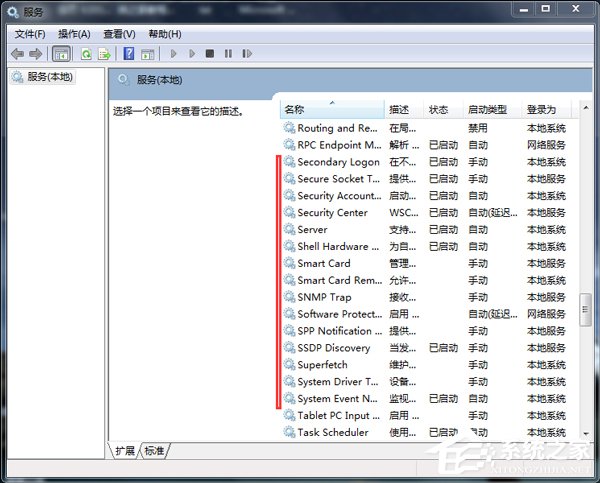
  1. 按 Win+R 輸入 services.msc 開啟服務管理員。
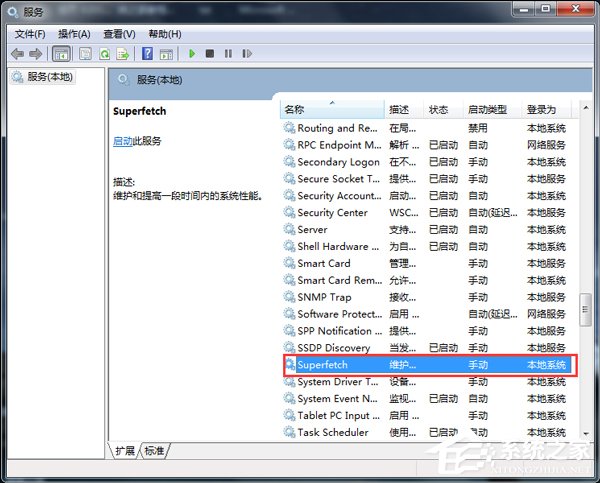
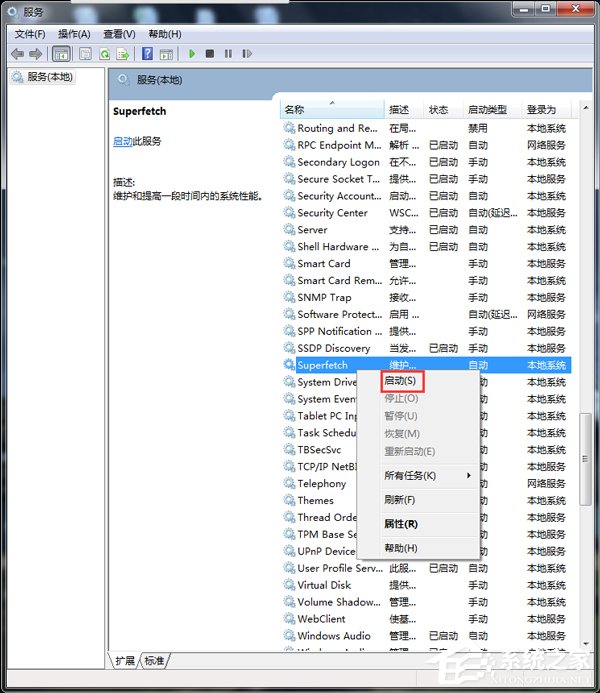
  2. 在清單中找到 Superfetch(Win10 顯示為 SysMain)。
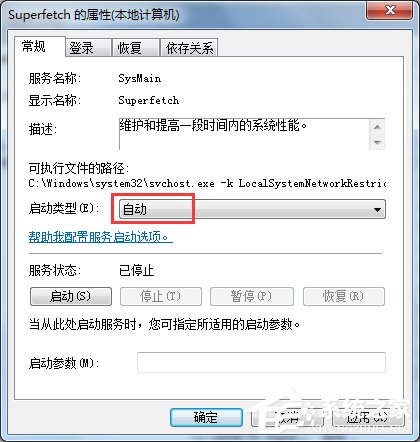
  3. 雙擊開啟屬性,將「啟動類型」改為「自動」,點擊「套用」。
  4. 再點擊「啟動」按鈕啟動服務。
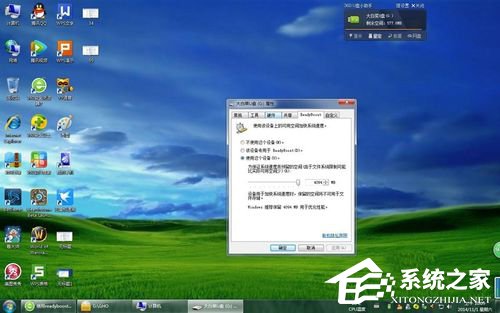
  5. 回到「電腦」,右鍵 USB 隨身碟 → 「屬性」 → 「ReadyBoost」索引標籤,即可正常設定。

注意:ReadyBoost 對隨機讀寫速度較快的 USB 3.0 隨身碟效果最明顯,且系統實體記憶體 ≥ 4GB 時效益有限。若服務啟動後仍無法使用,請檢查隨身碟格式是否為 NTFS/exFAT,並確認裝置符合 ReadyBoost 速度門檻。


Copyright © Windows教程網 All Rights Reserved