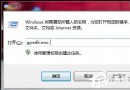
瀏覽不安全網站時常被強制下載惡意程式?透過本機群組原則啟用「限制檔案下載」功能,可從根源阻擋 IE 自動下載行為,守護系統安全。
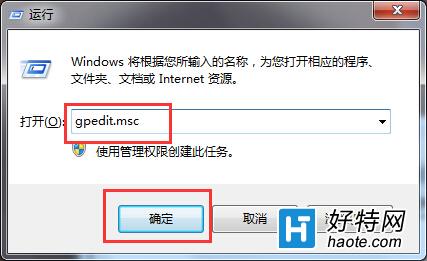
gpedit.msc
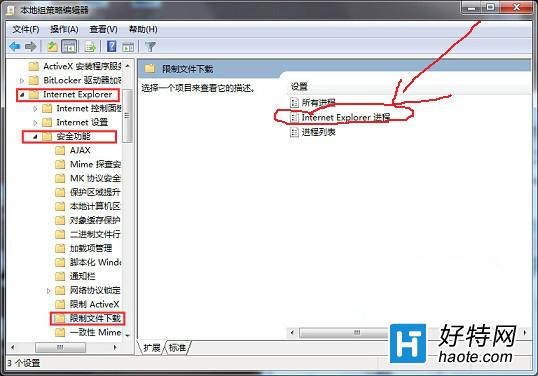
電腦設定 → 系統管理範本 → Windows 元件 → Internet Explorer → 安全性功能 → 限制檔案下載
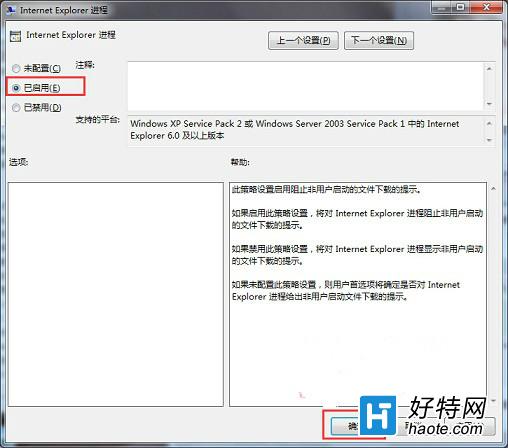
設定生效後,IE 將不再允許網頁自動下載檔案,大幅降低中毒風險。
Win7防火牆設置全攻略:開啟、例外、高級規則與排錯
Win7 無法上網提示「找不到調變解調器」完整排查與修復指南
Win7右鍵菜單沒有「新建」選項怎麼修復?BAT腳本與注冊表雙修復法
Windows 7 魔獸爭霸 III 全螢幕解析度修正:登錄表手動設定
Win7 系統優化全攻略:關閉搜尋索引、關閉系統音效、精簡服務啟動項三大核心技巧
Windows 7 將倉頡/嘸蝦蜇輸入法設為預設第一順位:修改登錄預載順序
Win7 禁止 Flash Player 自動更新,控制台設定「從不檢查更新」
Windows 7 64 位元執行 regsvr32 提示不相容?需呼叫 32 位元版本