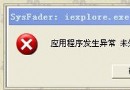
64 位元系統中 System32\regsvr32.exe 為 64 位元版,註冊 32 位元 DLL 需改用 SysWOW64\regsvr32.exe。操作:
System32\regsvr32.exe
SysWOW64\regsvr32.exe
cd \windows\syswow64
regsvr32 atiacmxx.dll /u
regsvr32 xxx.dll
原理:WoW64 子系統將 32 位元應用程式重導向至 SysWOW64,確保正確載入 32 位元 DLL。
SysWOW64
Win7 安裝系統出現錯誤代碼 0x800700B7 解決方案:Temp 資料夾權限修復
Win7 內建畫圖快速壓縮 PNG 圖片:另存為 JPEG 大幅減小檔案體積
提升 Windows 7 寬頻上網速度:登錄修改 GlobalMaxTcpWindowSize 優化 TCP 視窗大小 (附原理與實測)
Windows 7 Jump Lists (跳躍清單) 完全指南:高效操作、隱私風險、手動清除、自動化清理
Win7 讀取 Administrator 屬性報錯「工作站服務未啟動」?雙服務啟動法修復
Windows 7 內建網路疑難排解與遠端協助全攻略
Win7 工作列如何新增「顯示桌面」按鈕?自建 .scf 檔或直接使用右側邊緣快速顯示桌面
Win7 印表機共用密碼問題解決:群組原則開放 Guest 存取、關閉密碼保護共用