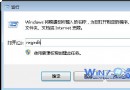
雙擊 .exe 檔案無反應、提示「找不到程式開啟」或彈出「開啟方式」對話框,通常是檔案關聯註冊表鍵值損毀或被惡意軟體竄改。提供標準修復 .reg 腳本,雙擊即可恢復。
HKEY_CLASSES_ROOT\.exe、HKEY_CLASSES_ROOT\exefile 鍵值,導致系統無法識別可執行檔。將下列內容複製至記事本,存檔為 Fix_exe_assoc.reg (編碼選 ANSI 或 UTF-8),雙擊匯入 → 是 → 確定 → 重啟電腦 (或重新登入)。
Windows Registry Editor Version 5.00

[HKEY_CLASSES_ROOT\.exe]
@="exefile"
"Content Type"="application/x-msdownload"

[HKEY_CLASSES_ROOT\.exe\PersistentHandler]
@="{098f2470-bae0-11cd-b579-08002b30bfeb}"

[HKEY_CLASSES_ROOT\exefile]
@="Application"
"EditFlags"=hex:38,07,00,00
"FriendlyTypeName"=hex(2):40,00,25,00,53,00,79,00,73,00,74,00,65,00,6d,00,52,00,6f,00,6f,00,74,00,25,00,5c,00,53,00,79,00,73,00,74,00,65,00,6d,00,33,00,32,00,5c,00,73,00,68,00,65,00,6c,00,6c,00,33,00,32,00,2e,00,64,00,6c,00,6c,00,2c,00,2d,00,31,00,30,00,31,00,35,00,36,00,00,00

[HKEY_CLASSES_ROOT\exefile\DefaultIcon]
@="%1"

[HKEY_CLASSES_ROOT\exefile\shell]
[HKEY_CLASSES_ROOT\exefile\shell\open]
"EditFlags"=hex:00,00,00,00

[HKEY_CLASSES_ROOT\exefile\shell\open\command]
@="\"%1\" %*"
"IsolatedCommand"="\"%1\" %*"

[HKEY_CLASSES_ROOT\exefile\shell\runas]
[HKEY_CLASSES_ROOT\exefile\shell\runas\command]
@="\"%1\" %*"
"IsolatedCommand"="\"%1\" %*"
若系統關鍵 .exe (如 cmd.exe, regedit.exe, taskmgr.exe) 也無法執行,需在安全模式或 WinPE 下執行:
takeown /f "C:\Windows\System32\cmd.exe" /a
icacls "C:\Windows\System32\cmd.exe" /grant administrators:F
或使用批次腳本修復整個 System32 目錄:
for %f in (C:\Windows\System32\*.exe) do (
  takeown /f "%f" /a
  icacls "%f" /grant administrators:F
)
calc.exe, notepad.exe) 是否正常啟動。.exe 關聯斷裂雖嚇人,但本質只是註冊表幾個關鍵鍵值錯誤。標準 .reg 腳本 30 秒搞定,重啟即愈。收藏備用,關鍵時刻救急。