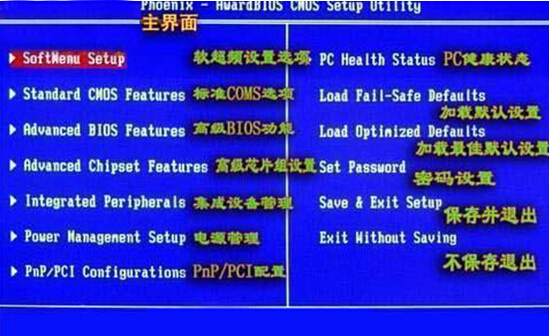
透過 BIOS 關閉主機板內建網卡控制器,適用於使用獨立網卡或需停用內建網卡情境。
Device
Integrated Peripherals
Network Setup
Onboard LAN
Onboard Ethernet Controller
若需啟用,同樣路徑設為 Enabled。BIOS 介面因主機板廠商不同而異,請參考主機板手冊。
Win7 語音聊天對方聽不到聲音?開啟麥克風「監聽此裝置」+ 檢查音量/靜音設定
Windows 7 與 XP 局域網互訪完整設定指南:從工作群組到防火牆的逐步排查
Win7 任務管理員識別系統程序:依「使用者名稱」判斷
Windows 7 開機時間精確到秒:事件檢視器一鍵查詢
Windows 7 修補程式安裝後不再頻繁彈出重新開機提示的設定技巧
Win7 校正色彩導致照片檢視器變慢?刪除 ICC 設定檔即可恢復
關閉 Windows 7 內建自動播放功能的完整步驟
微軟否認 Windows 7 安全補丁導致「死亡黑屏」:調查無證據、非大規模問題