索引檔預設放在 C 槽,重灌系統會遺失。可將索引移至其他分區,保留搜尋功能不受影響。
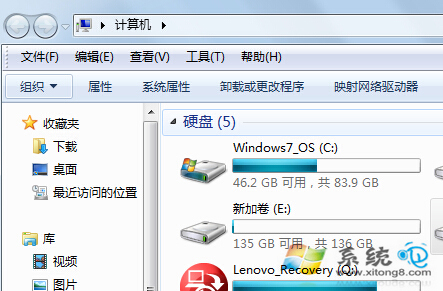
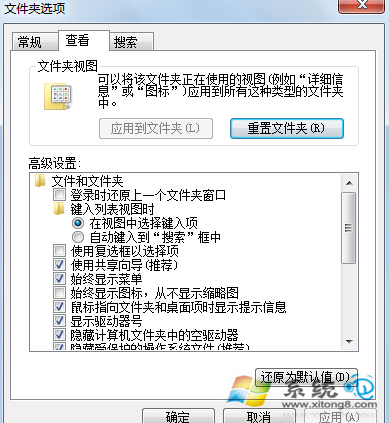
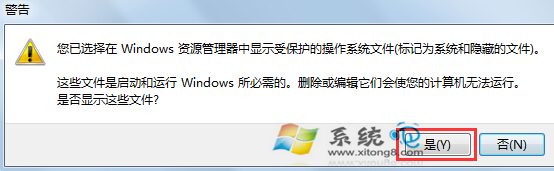
1. 開啟「電腦」→「工具」→「資料夾選項」→「檢視」→取消勾選「隱藏受保護的作業系統檔案」。
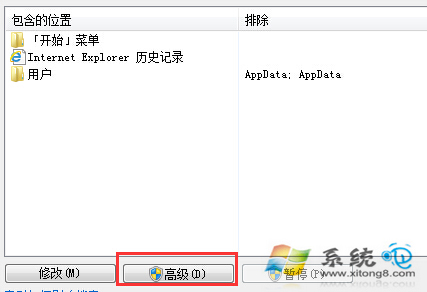
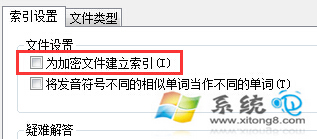
2. 「開始」搜尋 Indexing 開啟「索引選項」→「進階」→勾選「為加密檔案建立索引」→在「索引位置」選擇新資料夾(如 D:\SearchIndex)→確定重建索引。
Indexing
重灌系統後,只需重新指向原索引資料夾即可快速恢復搜尋功能。
Windows 7 網遊延遲高?QoS 封包排程 + 關閉 MMCSS 降低 Ping
Win7 IE 瀏覽器修復教學:重置與還原進階設定雙重保障
Win7 開機「自動修復」失敗無法進入系統?刪除 spoon.sys 驅動檔案修復
Win7 建立 ADSL 撥號寬帶連線圖文教學:PPPoE 設定與快速連線
Win7 解除安裝程式提示「沒有管理員權限」?以管理員身分執行解除安裝程式即可解決
Win7 兩台電腦共享印表機完整設定教學
Win7 禁止桌面存檔保持乾淨:註冊表 NoSaveSettings 或 NTFS 權限移除寫入權限
解決裝 Win7 後 D/E/F 槽消失:磁碟管理指派磁碟機代號 30 秒搞定