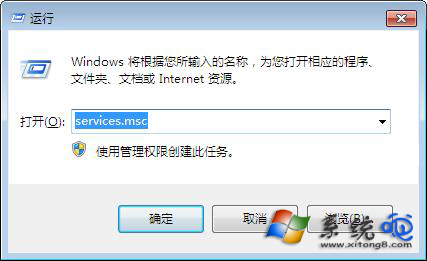
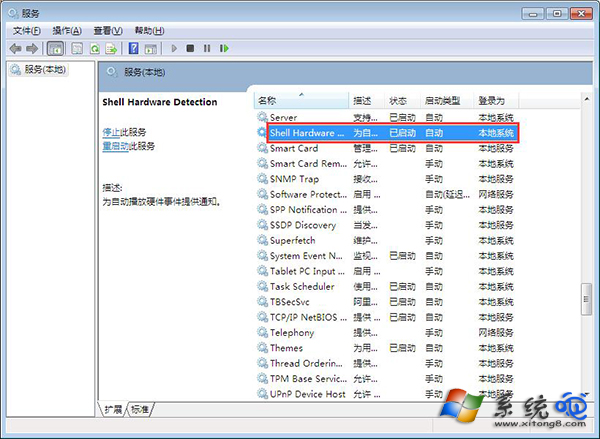
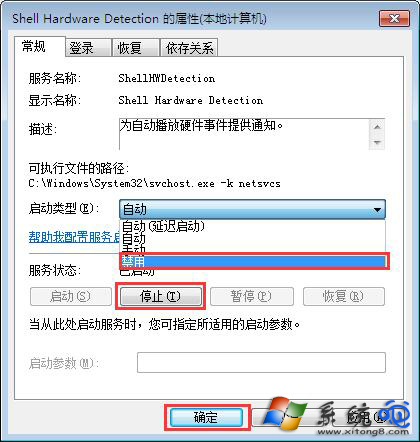
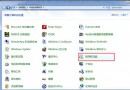
放入光碟後光碟機無反應、檔案總管不顯示光碟內容,主因是 Shell Hardware Detection 服務異常。修復:Win+R → services.msc → 找到 Shell Hardware Detection → 右鍵「內容」→ 啟動類型改「停用」→ 點擊「停止」→ 確定 → 重開機,光碟機即可正常讀取光碟。
Shell Hardware Detection
services.msc
此服務負責自動播放與硬體偵測,停用後不影響光碟機基本讀寫功能,反而能解決讀不到光碟的怪異問題。
WinGate 代理伺服器日常設定:GateKeeper 管理介面、使用者帳號、DNS/WINS、VPN、GateFilter 內容過濾
Windows 7 功能開啟/關閉設定:精簡開機啟動項目
Win7 Print Spooler 服務自動關閉?啟用與設定自動恢復完整教學
解決筆記本 Windows 7 環境下遊戲無法全螢幕 啟用 GPU 縮放功能
Windows 7 旗艦版查看電腦硬體配置三大法:DxDiag、裝置管理員、系統資訊
Windows 7 安裝與移除完整指南:單系統、雙系統、U 盤安裝、重灌技巧一次掌握
Windows 7 睡眠/休眠喚醒後自動撥號上網:工作排程器觸發 rasphone
XP 升級 Windows 7 資料遷移全攻略:Easy Transfer、雲端同步、NAS 備份一次看懂