Windows XP Windows 7 Windows 2003 Windows Vista Windows 綜合教學 Linux 系統教學
Windows 10 Windows 8 Windows 2008 Windows NT Windows Server 電腦軟體教學

WinGate 代理伺服器日常設定:GateKeeper 管理介面、使用者帳號、DNS/WINS、VPN、GateFilter 內容過濾

編輯:Windows 7 系統介紹

核心架構

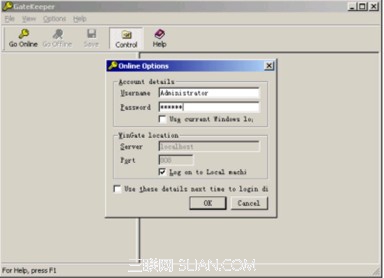
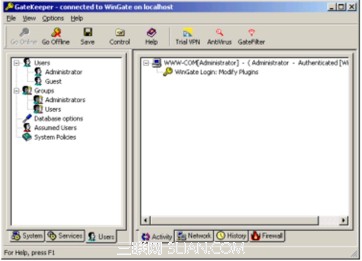
WinGate 安裝於指定伺服器/電腦,整個網路共用一組 Internet 帳號。內建 GateKeeper 管理介面,類似輕量級作業系統,提供 Administrator/Guest 內建帳號,可自訂使用者權限。

主要設定項目

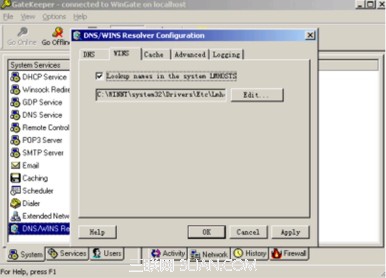
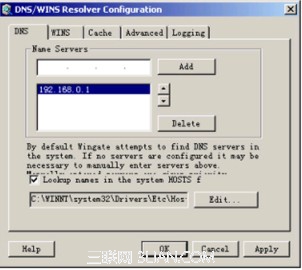
GateKeeper 登入畫面 使用者管理介面 WINS 設定 DNS 設定 VPN 設定 GateFilter 內容過濾

部署建議

  • 閘道模式:WinGate 機器雙網卡,一張接 WAN、一張接 LAN,啟用 NAT/Proxy。
  • 透明代理模式:搭配交換器 Port Mirror 或路由器策略導流,用戶端無感知。
  • 定期更新 GateFilter 規則庫,維持過濾準確率。
Copyright © Windows教程網 All Rights Reserved
功能模組設定重點
使用者管理GateKeeper → Users 分頁 → 新增/編輯帳號、權限、頻寬限制
DNS/WINSDNS 伺服器 IP 填寫 (通常為閘道/ISP DNS);WINS 由軟體自動配置
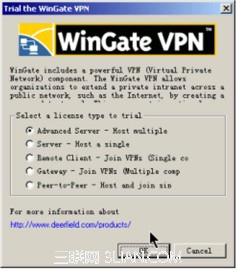
VPN (虛擬私人網路)整合加密與存取控制,支援分支機構、遠端員工、行動辦公,低成本分級 VPN 方案
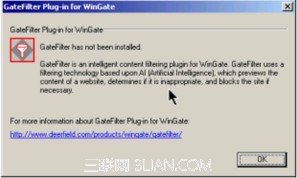
GateFilter 內容過濾基於 ACR (人工內容辨識) 掃描網頁內容,攔截不當內容,執行企業上網政策