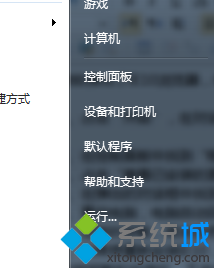
不需第三方工具,Win7 個人化設定即可隱藏桌面回收站圖示,桌面更簡潔。
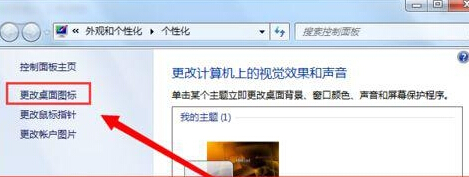
隱藏圖示不影響回收站功能,刪除檔案仍進入回收站。需存取時:開啟「電腦」→ 網址列輸入 shell:RecycleBinFolder 或在檔案總管左側導覽窗格點擊「回收站」。
Windows 7 螢幕保護程式設定全攻略:個性化、密碼保護與節能
Windows 7 顯示攝影機圖示於電腦中:複製 AMCAP 到 Network Shortcuts 資料夾即可
IE11 for Win7 正式版安裝與解除安裝完整圖文指南
Win7 螢幕解析度調整教學:NVIDIA 控制台 + 系統設定雙管道
Win7 ReadyBoost + USB 隨身碟加速系統:啟用條件、空間建議、SSD/大記憶體無效說明
Win7 沒有滑鼠時啟用鍵盤控制滑鼠 (Mouse Keys)
Windows 7 熱銷掩蓋危機:XP 用戶無動於衷,雲端運算才是真正顛覆者
Win7 WLAN netsh 指令完整手冊:查詢設定檔、匯出匯入 XML、連線指定 SSID、建立診斷報告、封鎖期限、權限控制