啟用攝影機時出現「無法列舉過濾器圖像」,通常是 DirectShow 核心 DLL (Quartz.dll, Proppage.dll, directSpy.dll) 註冊遺失。以管理員身分重新註冊即可修復。
Quartz.dll
Proppage.dll
directSpy.dll
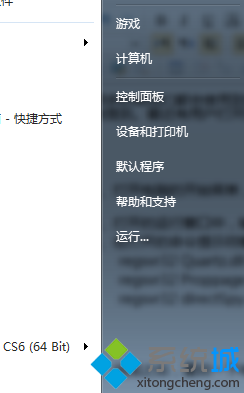
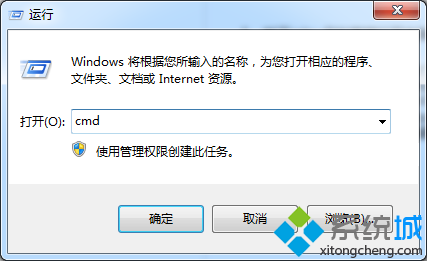
cmd
regsvr32 Quartz.dll
regsvr32 Proppage.dll
regsvr32 directSpy.dll
若仍失敗,檢查攝影機驅動是否為最新版,或嘗試在裝置管理員「解除安裝裝置」後重新掃描硬體變更重裝驅動。
關閉 Win7 視窗自動靠邊/最大化(Aero Snap)功能,讓視窗聽話不再亂跳
Win7 啟用後的檢測與精簡:驗證啟用、關閉多餘服務
Windows 7 寬頻上網加速:登錄表調整 TCP 視窗大小提升傳輸效率
一鍵清除系統垃圾:自製 BAT 批次檔輕鬆釋放磁碟空間
Win7 透過停用 IE 附加元件提升瀏覽速度技巧
Windows 7 破解激活方式大盤點:四大不可能與兩大可能路徑深度解析
Win7 開啟資料夾有提示音?聲音設定一鍵關閉「開啟」事件聲音
Win7 攝影機影像倒轉/倒立完整排查:驅動錯誤為主因、四大成因與三級解決方案