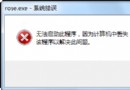
Win7 內建截圖工具若無法儲存或啟動失敗,常因登錄檔中「我的圖片」資料夾路徑 (My Pictures) 錯誤導致。修正路徑即可恢復正常。
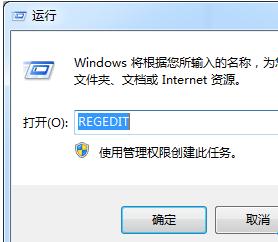
regedit 開啟登錄編輯器。
2. 定位至:HKEY_CURRENT_USER\Software\Microsoft\Windows\CurrentVersion\Explorer\User Shell Folders
3. 雙擊右側 My Pictures 鍵值。
4. 將數值資料改為:%USERPROFILE%\Pictures
5. 確定儲存,重新啟動電腦測試截圖工具。
截圖工具預設儲存位置參考此登錄值。若路徑指向不存在的資料夾,工具將無法建立暫存檔或儲存截圖,導致失靈。
Windows 7 系統加速優化全攻略:服務精簡、系統瘦身、關機優化、WinSxS 壓縮
Win7 桌面圖示全變成 Word 圖示?刪除 IconCache 重建即可
Win7 系統內建截圖工具失靈無法使用?修正登錄檔 My Pictures 路徑即可修復
Windows 7 搶鮮下載:Build 6801 種子釋出、記憶體佔用 360-400MB 低於 Vista、30 天試用可用 Vista 序號激活
PC Safeguard:Windows 7 沙箱保護功能,讓公用電腦用完即還原
Word 統一文件格式技巧:善用「尋找與取代」僅修改正文保留標題樣式