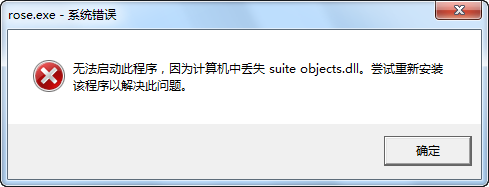
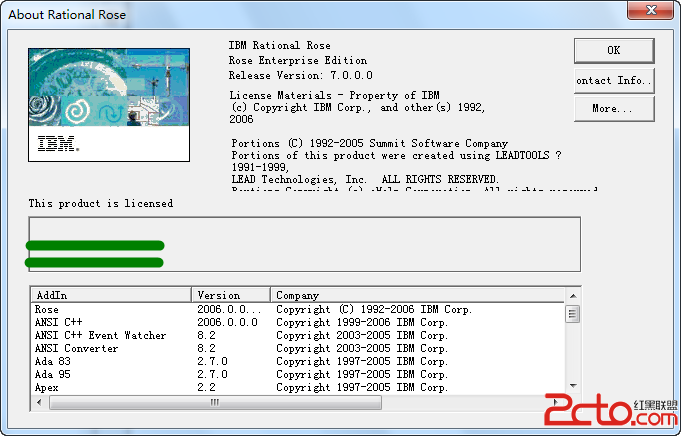
安裝 Rational Rose 後啟動提示找不到 suite objects.dll,實際檔案存在,原因是安裝程式寫入的 Path 環境變數大小寫錯誤。
suite objects.dll
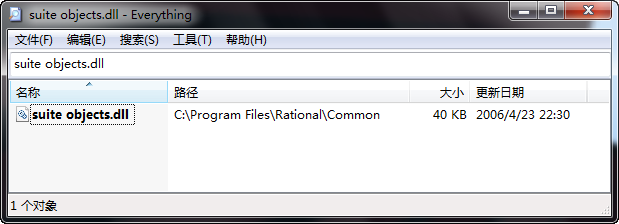
檔案實際存在:
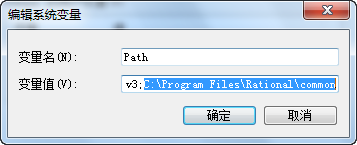
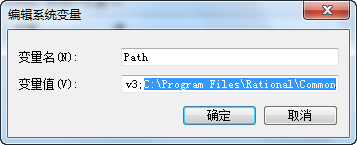
Path 變數中路徑寫為 ...\\common\\ (全小寫),實際資料夾為 Common (首字大寫),Windows 不區分大小寫但某舊版軟體依賴精確路徑。
...\\common\\
Common
common
環境變數大小寫不一致是舊版軟體移植 Win7 常見坑,檢查 Path 變數可快速定位解決。
Win7 硬碟總是自動關閉怎麼辦?電源選項關閉「在此時間後關閉硬碟」徹底解決
Win7 msconfig 最大記憶體設為 0 解決方案(同 13430)
Win7 批量修改檔名的高效方法:結合 CMD 與 Excel
Windows 7 五大常見故障與解決方案總整理
Windows 7 十大隱性安全特性深度解析
Win7 純淨版善用 fsquirt 指令實現藍牙傳輸檔案
Windows 7 內建圖片檢視器不支援 GIF 動畫?安裝 ImageViewer for Windows 7 外掛完美解決
IE8 下載卡在 99% 不動?三大原因與解決辦法