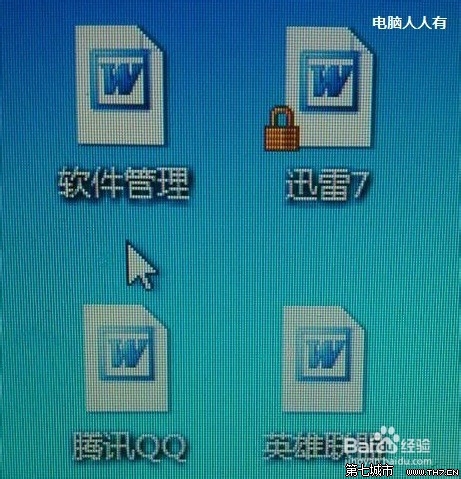
所有捷徑圖示變成同一個(如 Word)?圖示快取損壞,刪除 IconCache.db 重開機自動重建。
IconCache.db
C:\Users\<使用者名稱>\AppData\Local\IconCache.db
%LocalAppData%
此法適用於所有圖示異常(空白、錯誤、變同一個)。
聯想筆電 Win7 如何開啟藍牙?外部開關 + Fn+F5 雙重確認
微軟內核工程師揭密:Windows 7 內核重寫鎖機制、效能優先,非單純 Vista SP3
Win7 連上 WiFi 卻無法上網?電腦管家「電腦診斷」→「上網異常」一鍵修復
Win7 錯誤報告彈窗太煩人?註冊表 DontShowUI=1 靜默上報不彈窗
Win7 Protel 99 SE 無法加入庫檔案的解決方案(含輔助小工具)
微軟恢復 Windows 7 Beta 公開下載 提供 250 萬組啟動金鑰
Windows 7 省電機制:比 Vista 省 30%、服務觸發式啟動、處理器核心停駐技術
Win8.1 啟用內建 Administrator 管理員帳號:電腦管理法與指令法