Protel 99 SE 在 Win7 下加入庫檔案常報錯,需搭配「Protel99 庫檔案加入小工具」繞過限制。
1. 先建立四個基礎檔案:Schlib1.Lib、Sheet1.Sch、PcbLib1.Lib、Pcb1.Pcb。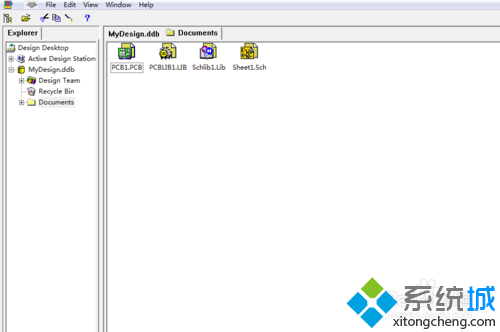
2. 編輯 Schlib1.Lib 繪製元件並儲存。
3. 開啟 Sheet1.Sch,右側 Libraries 點擊「Add/Remove」加入庫,會報錯無法加入。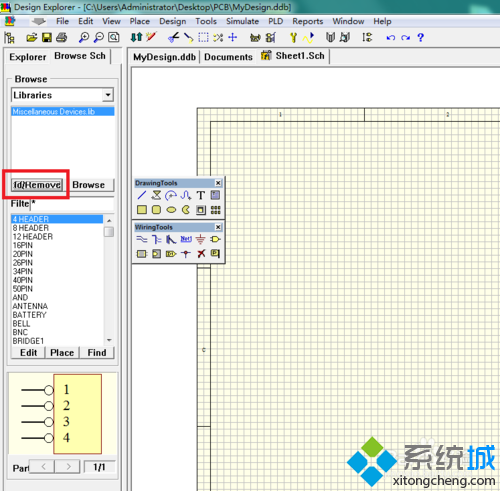
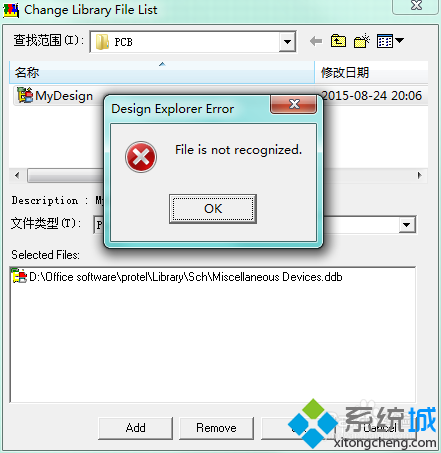
4. 保留錯誤視窗,開啟「Protel99 庫檔案加入小工具」,勾選「SCH」,點擊「加入庫」選擇 MyDesign.ddb,再點「加入到 Protel」。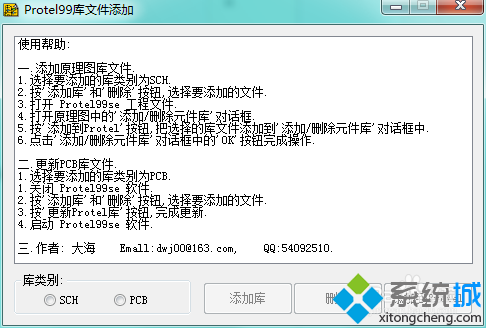
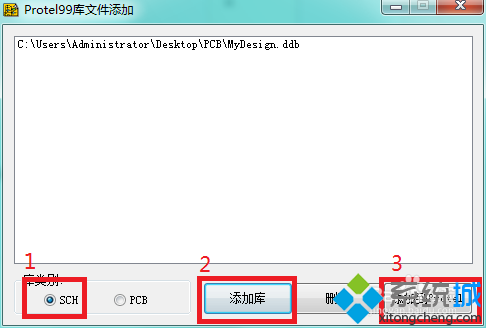
5. 回到 Protel 對話框,庫檔案已成功加入。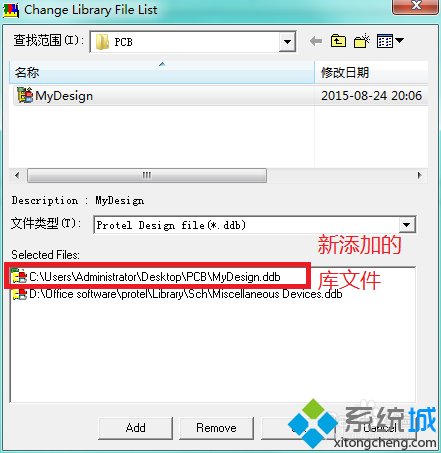
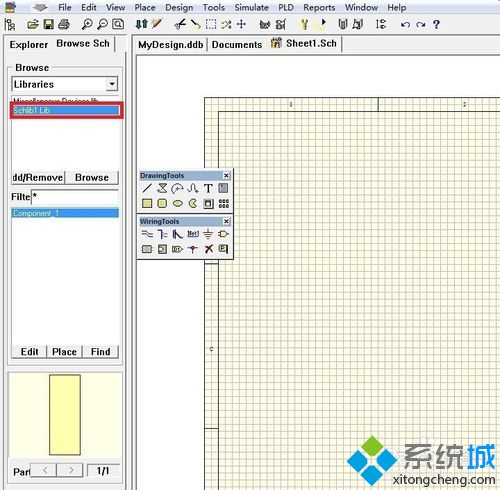
6. 加入 PCB 庫同理,但在小工具選擇「PCB」類別,且需先關閉 Protel 99 SE 再操作。