192.168.1.10
192.168.0.10
255.255.255.0
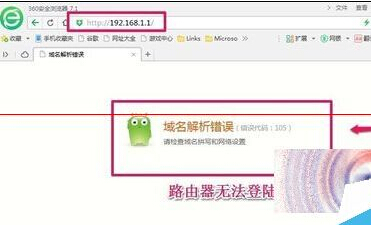
192.168.1.1
192.168.0.1
https://192.168.1.1
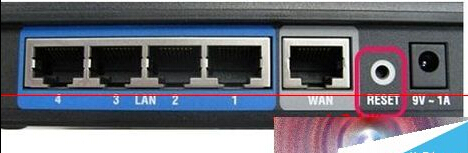
用大頭針按住路由器 Reset 孔 5~10 秒恢復出廠值,再重新依精靈設定。
此流程適用於大多數家用路由器首次設定或重設後無法登入的情況。
高手解讀 Windows 7 系統安全架構:縱深防禦、核心防護與資料備份全攻略
Windows 7 螢幕保護裝設定在哪?一鍵找到新位置
Win7 拒絕連線無線路由器?更新韌體解決相容性問題
Windows 7 查看電腦連接埠狀態:netstat -an 解析 LISTENING/ESTABLISHED/TIME_WAIT
Win7 如何設定預設閘道?TCP/IPv4 手動指定閘道 IP 步驟
Win7 視窗最大化/最小化動畫效果消失?一鍵恢復動態縮放教學
Win7 遠端桌面安全強化:網路層級驗證 + 防火牆 IPsec 加密規則
Win7 安裝常見 6 大錯誤代碼與對策:未雨綢繆免驚慌