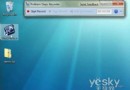
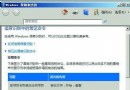
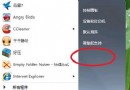
先裝 Windows 7 再裝 Vista 的雙系統,開機選單可能顯示 Vista 風格進度條而非 Windows 7 動畫。修復方法:
bcdedit /set {current} locale en-US
此指令將當前開機項目地區設定為美式英文,強制使用 Windows 7 開機畫面資源。原理是修正 BCD 開機設定資料中因 Vista 安裝覆寫導致的地區設定錯誤。
Win7 檔案總管圖示隱藏技巧:Shift+右鍵修改目標,一鍵開啟「電腦」或指定磁碟
善用 Windows 7 內建疑難排解解決電腦沒聲音問題
Win7 一鍵隱藏/顯示桌面圖示:保持桌面整潔又不失效率
Windows 7 硬體需求完整版:官方最低與建議規格對照表
開機卡在「按 F1 繼續」?BIOS 設定錯誤與 CMOS 電池故障完整排查
Win 7 資料夾刪不掉?6 大常規解法 + 6 大進階方案:權限、鎖定、磁碟錯誤、預讀、防毒、WinRAR 全搞定
Windows 7 安裝軟體 IE 提示「禁止安裝無效簽章」?啟用「允許執行或安裝軟體,即使簽章無效」解決
Win7 64 位開始選單「所有程式」空空如也?自訂設定「顯示最近開啟程式數目」改非零即現