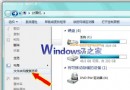
誤以為中毒,實為「精簡模式」(Tiny Footprint Mode)。
同樣操作可在完整模式與精簡模式間切換。
Win7 開機出現「硬體設定檔/配置恢復」選單?刪除多餘 Profile 還原單一啟動
Windows 7 常用 Shell 指令大全:鍵盤操控系統資料夾
Win7 桌面新增內建「行事曆」小工具完整教學
Win7/Win8 隱藏硬碟分區保護隱私資料:魔方電腦大師一鍵設定
預裝 Windows 7 電腦啟用 BitLocker 保護資料安全教學
Win7 EXE圖示消失一鍵修復:重建圖示快取命令腳本
Windows 7 升級 Windows 8 完整指南:98 元優惠方案詳解
Win7 關機與重開機快捷鍵大全:系統內建熱鍵與自訂捷徑雙重技巧