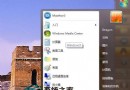
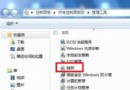
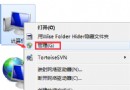
Windows 7 引入豐富的 shell: 指令,可在「執行」(Win+R)、總管地址列、命令提示字元中直接開啟特定系統資料夾,鍵盤操作比滑鼠逐層點選快得多。
| 指令 | 開啟目標 |
|---|---|
shell:Profile | 目前使用者根目錄(C:\Users\使用者名) |
shell:Personal | 目前使用者「文件」資料夾 |
shell:SendTo | 「傳送到」資料夾 |
shell:Public | 公用共用資料夾 |
shell:Common Startup / shell:Startup | 所有使用者/目前使用者「啟動」資料夾 |
shell:ConnectionsFolder | 網路連線介面(等同 ncpa.cpl) |
shell:Programs / shell:Common Programs | 目前使用者/所有使用者「開始選單\程式集」 |
shell:AppData / shell:Local AppData | Roaming / Local 應用程式資料資料夾 |
shell:Cookies / shell:Cache | IE Cookie / 快取資料夾 |
shell:Searches | 已儲存的搜尋結果資料夾 |
shell:Links | IE 導覽列連結資料夾 |
語法簡單:shell:指令名 即可。熟記常用指令,系統管理與檔案存取效率大增。