系統檔案檢查器 (SFC) 可驗證/修復系統檔案完整性。Win+R → sfc 執行(Win7 建議 sfc /scannow)。
兩大模式
- 掃描已變更檔案: 可設定僅檢查修改/刪除/兩者。發現問題彈出視窗四選項:更新驗證資訊、還原檔案、忽略、更新所有已變更檔案驗證資訊。建議系統穩定時先跑一次建立基準,確有損壞再選「還原檔案」(指定備份來源或安裝媒體)。
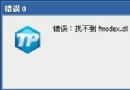
- 從安裝媒體提取單一檔案: 遇「非法操作」/「xxx.dll 遺失」時,指定檔案名、安裝媒體路徑、目的資料夾,提取覆蓋修復。
實務建議
- 無安裝媒體時可用系統備份資料夾(如
D:\Backup\Win98se)執行 Setup 修復。
- Win7 內建
sfc /scannow 自動從元件存放區修復,無需指定來源,更便利。
SFC 是系統維護基石,定期掃描可預防檔案損壞累積導致系統不穩。