Windows 7 多使用者環境下,手動清除各帳號 Cookie 耗時。提供批次檔自動掃描所有帳號資料夾並清除 Cookie 與暫存網路檔案。
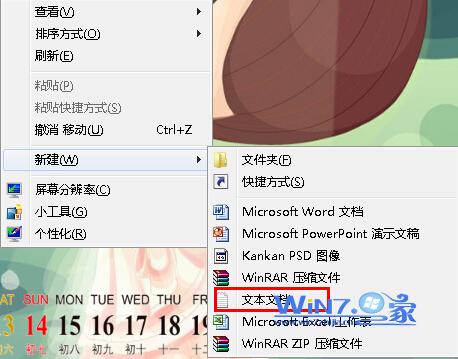
@echo off
color 0a
cd /d %SystemDrive%
cls
:: Title 正在清理本機所有帳戶下的Cookie和瀏覽器垃圾文件
dir "%SystemDrive%\Users" /ad /b > %SystemDrive%\DirTmp.txt
for /f %%a in (%SystemDrive%\DirTmp.txt) do (
    del /f /s /q "%SystemDrive%\Users\%%a\Cookies\*.*" 2>nul
    del /f /s /q "%SystemDrive%\Users\%%a\AppData\Local\Microsoft\Windows\INetCache\*.*" 2>nul
    del /f /s /q "%SystemDrive%\Users\%%a\AppData\Local\Microsoft\Windows\INetCookies\*.*" 2>nul
)
del /f /q %SystemDrive%\DirTmp.txt
pause
說明:原碼針對 XP (Documents and Settings) 路徑,已更新為 Win7/Vista/10/11 通用的
%SystemDrive%\Users路徑,並新增 INetCache/INetCookies 現代暫存路徑。
CleanAllCookies.bat(副檔名 .bat)DirTmp.txt(帳號清單),可手動刪除| 指令 | 功能 |
|---|---|
| dir /ad /b | 列出 Users 目錄下所有資料夾名稱(帳號名) |
| for /f %%a in (...) | 逐一處理每個帳號 |
| del /f /s /q | 強制、遞迴、安靜模式刪除檔案 |
| 2>nul | 隱藏「找不到檔案」等錯誤訊息 |