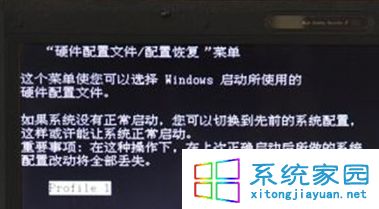
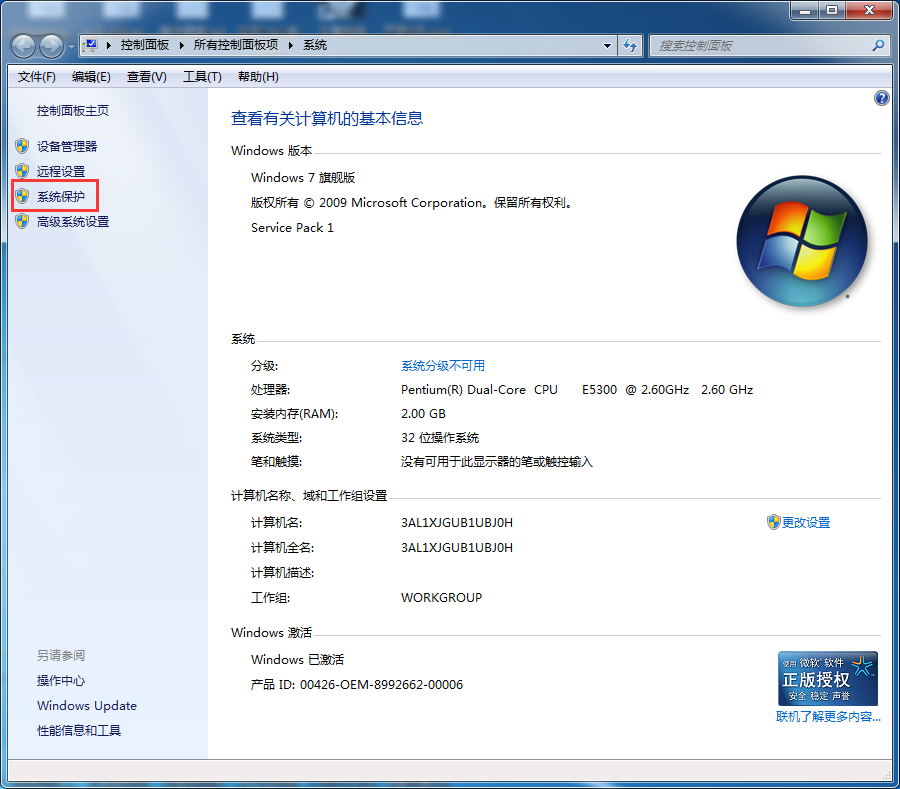
開機卡在「硬體設定檔」選單(Profile 1、Profile 2…)?通常因安裝/移除軟體、驅動導致硬體設定檔分支。選正確項目進系統後刪除多餘項即可永久解決。
sysdm.cpl
原理:Windows 依硬體配置建立多重設定檔,安裝新裝置/驅動可能觸發分支;保留唯一作用中設定檔即可跳過選單直接啟動。
Win7 開啟/關閉內建防火牆圖文教程:控制面板大圖標模式三步直達
Windows 7 找回經典開始選單並套用 Aero 玻璃效果
Win7 工作列深度馴服指南:8 大進階技巧打造專屬效率中樞
Win7 安裝失敗、卡住、藍屏?四大核心原因與對應解決策略全攻略
Win7 刪除檔案卡在「正在準備回收」?四大方案:360急救箱、重灌、格式化、Unlocker 解鎖強刪
32 位元 Win7 強制支援 4GB 記憶體:ReadyFor 4GB 修補核心 + 修改開機選單 (風險自負)
Win7工作列音量圖示不見了?5步驟重啟Explorer找回
Win7 如何用群組原則鎖定硬碟禁止存取?保護隱私資料不被他人查看