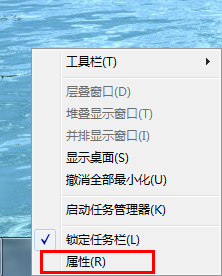
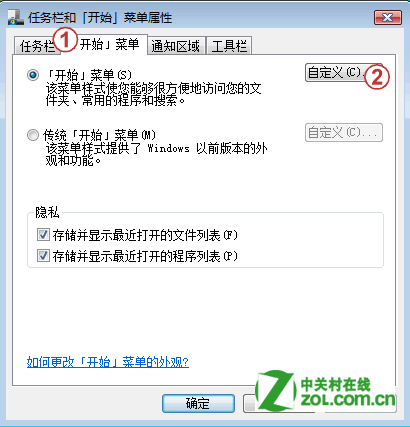
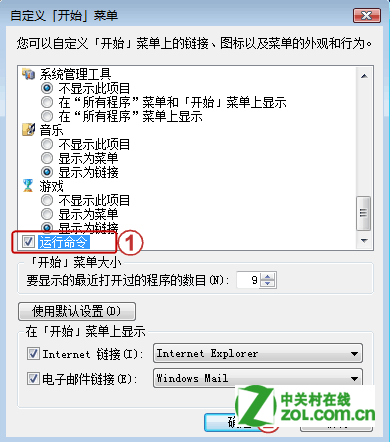
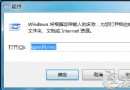
Win7 開始功能表預設隱藏「執行」,三步找回:
此外,Win+R 永遠可直接呼叫「執行」對話框;開始功能表搜尋框也可直接輸入 cmd、notepad 等指令執行,無需開啟「執行」。
cmd
notepad
Win7 安全模式九大實戰用法:刪除頑固檔、系統還原、殺毒、解除群組原則鎖定、修復故障、還原設定、偵測自啟動程式、檢測硬體相容、移除錯誤驅動
Windows 7 啟用 AHCI 模式導致藍屏/無法開機完美解決方案
電腦反應慢怎麼辦?九大 XP 加速技巧 + 通用維護四步驟
Win7 將 IE9 降級還原為 IE8:透過「檢視已安裝更新」移除
Win7 系統資源釋放雙技巧:自動結束無回應程式 + 縮短關閉等待時間
Win7 IE9 播放線上影片黑屏/白框閃爍?啟用軟體繪製繞過 GPU 問題
Win 7 電源方案一鍵切換:建立桌面捷徑綁定熱鍵,告別多層選單
Win7 出現「Dpp Viewer Module 停止運作」錯誤解決辦法