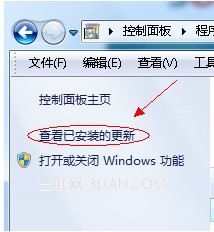
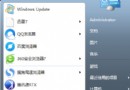
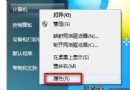
IE 升級後想降回 IE8,控制台 → 「程式和功能」 → 左側「檢視已安裝的更新」 → 找到「Windows Internet Explorer 10/9」 → 右鍵「解除安裝」 → 重開機即自動回復 IE8。
Win8 內建 IE10 無法降級,此法僅適用 Win7。
Win7 內建螢幕錄製神器:問題步驟記錄器 記錄操作、自動截圖、產出 MHTML 報告
Win7 插入 USB 裝置不彈出自動播放視窗?其實是預設隱藏空磁碟機
Windows 7 關閉視窗拖曳邊緣自動最大化 (Aero Snap):登錄表修改 WindowArrangementActive=0
Windows 7 停用感應器功能操作步驟
Win7玩不了勁舞團?設定XP SP3相容模式解決閃退
Windows 7 雙擊「電腦」提示「系統呼叫失敗」解決辦法
全面認識 Windows 7 常見檔案類型與副檔名
Win7 寬帶撥號錯誤 797:Modem/網卡驅動異常、裝置選擇錯誤、TCP/IP 協定損壞四大成因與對策