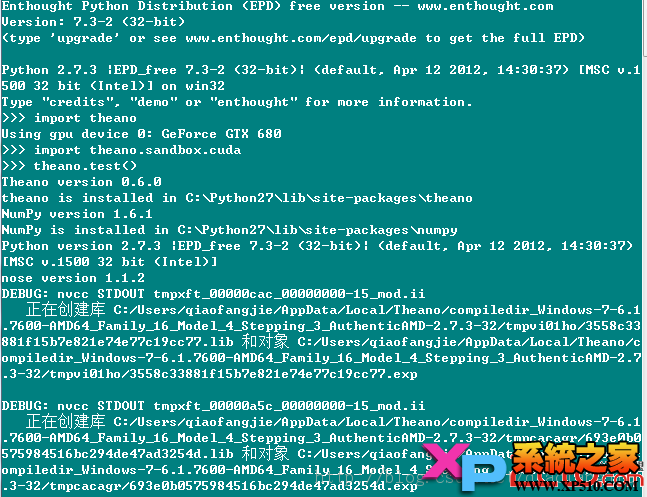
成功截圖
核心原則:Python 與 CUDA 位元數必須一致
兩步驟流程
- 安裝 Theano 依賴與本體
嘗試過分別安裝 numpy/scipy/theano、Python(x,y)、源碼 python setup.py install 均無法啟用 GPU。
最終採用官方文件首薦方式:
安裝 EPD (Enthought Python Distribution) 含科學計算完整堆疊 → pip install theano → GPU 即可運作。
- 安裝 CUDA Toolkit
版本:cuda_5.0.35_winvista_win7_win8_general_32-3.msi (支援 Vista/7/8)。
下載:NVIDIA CUDA Toolkit Archive。
Visual Studio 建議 VS2008,VS2012 相容性較差需額外調整。
Theano 設定檔 (.theanorc.txt)
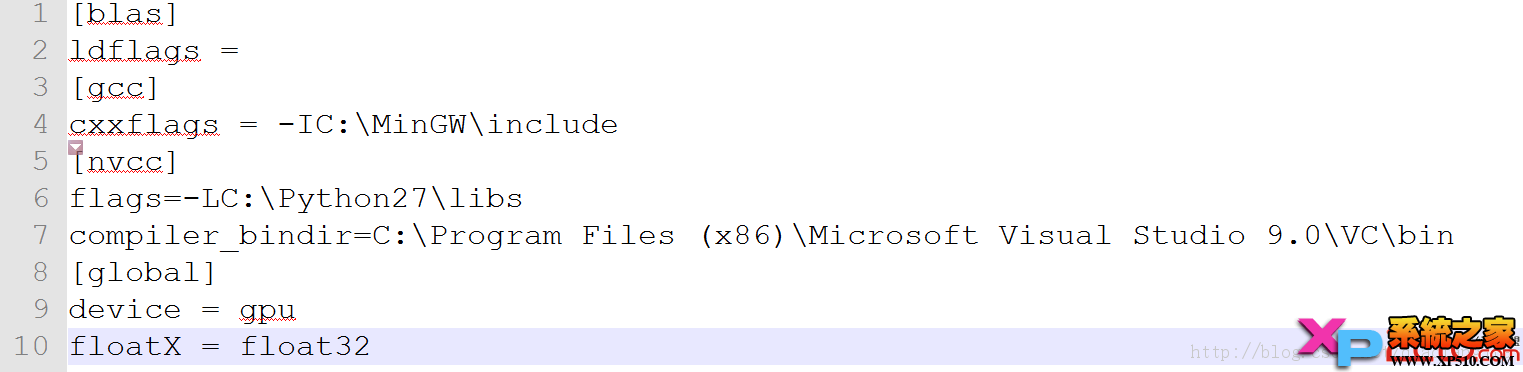
關鍵參數:device=gpu、floatX=float32、cuda.root 指向 CUDA 安裝路徑、nvcc.flags 針對架構優化。
資源分享
作者百度雲備份含 CUDA 5.0、EPD 等安裝包,需者可自取。