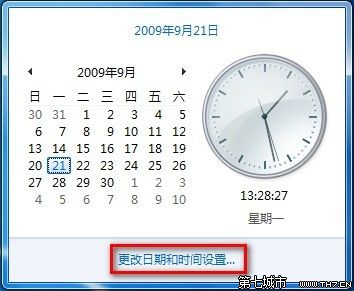
讓電腦時間永遠精準,啟用網路時間同步。
預設伺服器為 time.windows.com,每週同步一次。
time.windows.com
Win7 開啟資料夾提示「引用了一個不可用的位置」:登錄表修復「我的文件」路徑
Win7 將安全模式加入開機選單,一鍵進入無需按 F8
Windows 7 64位旗艦版設定滑鼠為左手模式教學
Win7 連線 VPN 錯誤 721 解決:登錄檔關閉 ValidateAddress
Win7 網路連線異常「無法連線」解決:停用/啟用介面卡與內建診斷修復
Windows 7 共享資料夾設定完整圖文教學:建立帳號、權限配置、網路存取
解決 Windows 7「桌面視窗管理員已停止運作」錯誤
Windows 7 離開模式:下載不關機、省電四分之一、硬碟螢幕保持運作