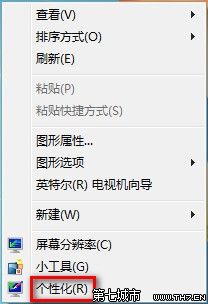
幾秒鐘換上心情好牆紙。
多圖勾選即啟用輪播,下方可自訂切換頻率。
Win7 64 位元資源回收筒無法清空?四大解決方案徹底修復
Windows 7 與 XP 雙系統安裝完整指南:Ghost 映像法與原版安裝法雙軌教學
Win7 內建主題包存放位置揭秘:%WINDIR%\Globalization\MCT\ 含各國隱藏主題
Win7 VNC 客戶端連線 Red Hat Linux AS 5.8 完整設定教學
Win7 體驗指數「無法評定視訊播放效能」修復:還原三個系統檔案副檔名
微軟證實:Windows 7 啟動程序破解法已現蹤 正研發對策
Win7 系統提示音個人化設定教學
Win7 飛信 2010 關閉後無法再次啟動?複製 dwmapi.dll 到安裝目錄即時修復