Windows XP Windows 7 Windows 2003 Windows Vista Windows 綜合教學 Linux 系統教學
Windows 10 Windows 8 Windows 2008 Windows NT Windows Server 電腦軟體教學

Win7 連線 VPN 錯誤 721 解決:登錄檔關閉 ValidateAddress

編輯:Windows 7 系統介紹

VPN 連線報錯 721,常因內網環境下 PPTP 協議驅動 ValidateAddress 檢查導致,關閉該值即可解決。

成因分析

  1. 內網多台電腦,伺服器無法正確判斷來源 IP。
  2. VPN 策略需改 PPTP 為 L2TP。
  3. 路由器封鎖 PPTP 連線。

登錄檔修正步驟

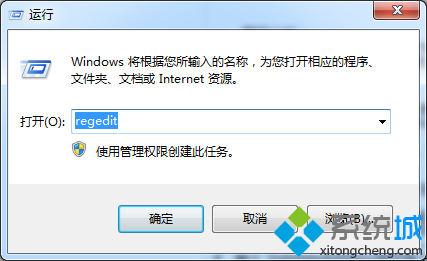
1. Win + R → regedit。
開啟登錄編輯器

2. 瀏覽至:
HKEY_LOCAL_MACHINE\SYSTEM\CurrentControlSet\Control\Class\{4D36E972-E325-11CE-BFC1-08002BE10318}
展開子鍵 0001~0009 找到 DriverDesc 為「WAN 微型連接埠 (PPTP)」的項目。

PPTP 驅動項目

3. 右鍵空白處 → 「新增」 → 「DWORD 值」,命名 ValidateAddress,數值設為 0 (預設 1 為啟用)。

4. 重新開機,VPN 連線錯誤 721 應可解決。

Copyright © Windows教程網 All Rights Reserved