開機出現檔案報錯、藍屏、提示損壞,可能是啟動項中殘留無效/惡意項目。透過登錄檔編輯器手動刪除可疑啟動鍵值,可快速排除故障。
HKEY_CURRENT_USER\Software\Microsoft\Windows\CurrentVersion\RunHKEY_CURRENT_USER\Software\Microsoft\Windows\CurrentVersion\RunOnceHKEY_LOCAL_MACHINE\SOFTWARE\Microsoft\Windows\CurrentVersion\RunHKEY_LOCAL_MACHINE\SOFTWARE\Microsoft\Windows\CurrentVersion\RunOnceHKEY_LOCAL_MACHINE\SOFTWARE\Microsoft\Windows\CurrentVersion\RunOnceExregedit 開啟登錄檔編輯器。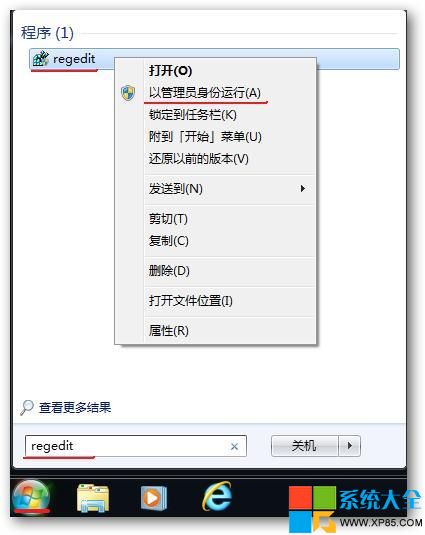
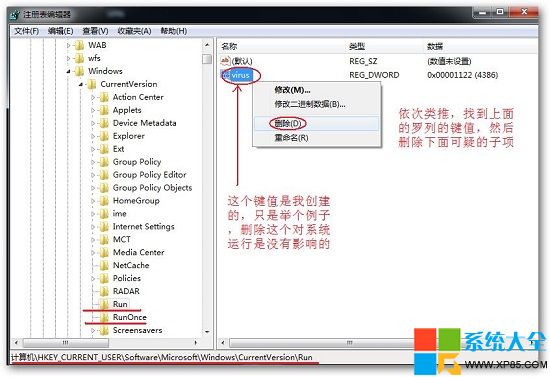
⚠ 注意:刪除前建議匯出該分支備份。若不確定項目用途,可先改名 (如加前綴 _disable_) 觀察,確認無誤再刪除。