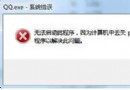
雙擊 .exe 檔案卻跳出權限錯誤,通常是檔案關聯錯誤或註冊表 HKEY_CLASSES_ROOT\exefile\shell\open\command 預設值被竄改。提供命令提示字元修復關聯與註冊表重命名法兩種解法。
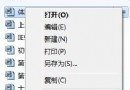
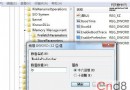
cmd → 確定 (若無法開啟,安全模式下執行)。assoc .exe=exefile (注意 assoc 與 .exe 間有空格) → Enter。C:\Windows → 找到 regedit.exe → 重命名為 regedit.com (建議在命令提示字元用 ren 指令)。regedit.com 開啟註冊表編輯器。HKEY_CLASSES_ROOT\exefile\shell\open\command"%1" %* → 確定 → 重開機。病毒、優化軟體、誤操作可能修改 .exe 開啟命令導致關聯中斷。修復後建議全盤掃毒並檢查啟動項。