Windows XP Windows 7 Windows 2003 Windows Vista Windows 綜合教學 Linux 系統教學
Windows 10 Windows 8 Windows 2008 Windows NT Windows Server 電腦軟體教學

Win7 未裝 Office 也能開 .docx?系統內建檢視器直接讀取

編輯:Windows 7 系統介紹

電腦未安裝 Microsoft Office 時,Windows 7 仍能直接開啟 .docx (Word 2007+ 格式) 檔案,因系統內建支援 Office Open XML 格式檢視,無需安裝龐大 Office 套件即可閱讀文件內容。

實測過程

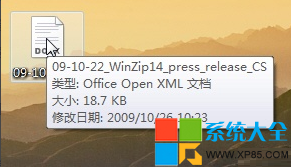
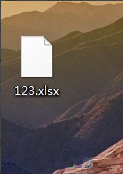
  1. 未安裝 Office 的 Win7 系統中,.docx 檔案圖示顯示為「Office Open XML 文件」。
  2. 滑鼠游標懸停檔案,工具提示顯示「Office Open XML 文件」。
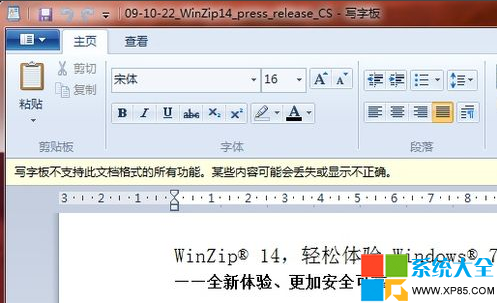
  3. 直接雙擊檔案,Windows 會以內建檢視器開啟,完整顯示文件文字、圖片、排版。

docx 檔案圖示與類型

工具提示顯示 Office Open XML

內建檢視器開啟 docx 完整內容

適用範圍與限制

  • ✅ 支援:.docx (Word), .xlsx (Excel), .pptx (PowerPoint) 等 Open XML 格式**唯讀檢視**。
  • ❌ 不支援:.doc, .xls, .ppt (舊版二進位格式)、**編輯、儲存、列印、巨集、複雜排版** 功能。
  • 若需編輯,請安裝 Office、LibreOffice、WPS Office 或使用 Office Online / Google Docs。

此功能對臨時閱讀、不想安裝 Office 的使用者極為實用。

Copyright © Windows教程網 All Rights Reserved