問題現象
更改主題、視窗顏色、螢幕保護程式等設定後點選「套用」無反應,或提示「無法套用設定」。
根本原因
Themes 服務 停用或啟動類型非「自動」,導致主題引擎無法載入套用變更。
修復步驟
- 按 Win + R 輸入
services.msc 開啟服務管理員。
- 找到 Themes 服務,雙擊開啟屬性。
- 啟動類型選擇 自動,服務狀態若為「已停止」按 啟動。
- 按 確定,重新開機或重新登入即可正常套用主題設定。
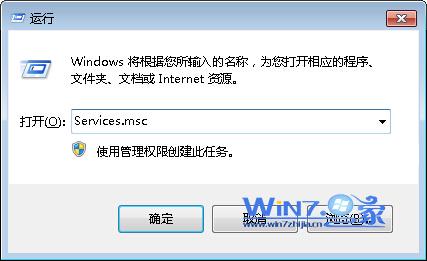 圖 1:設定 Themes 服務為自動並啟動
替代開啟方式
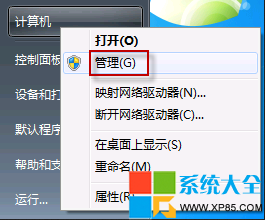
右鍵「電腦」→ 管理 → 服務和應用程式 → 服務,同樣可找到 Themes 服務進行設定。
延伸檢查
- 若 Themes 服務啟動後隨即停止,檢查事件檢視器 System 記錄,可能為
uxtheme.dll 損毀或第三方主題修補工具衝突,執行 sfc /scannow 修復系統檔案。
- 相依服務:Desktop Window Manager Session Manager (UxSms) 亦需啟用(預設自動)。