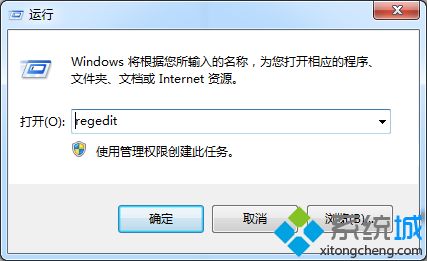
磁碟掃描產生的 found.000 資料夾屬性為隱藏且灰色不可更改,一般刪除方式無效。
使用 Xuetr 或具備「資料夾粉碎」功能的工具(如Unlocker、FileASSASSIN):
D:\found.000管理員權限CMD:
attrib -s -h -r "D:\found.000" /s /d
rd /s /q "D:\found.000"
attrib 移除系統/隱藏/唯讀屬性,rd 遞歸刪除。
開機按 F8 進入安全模式,此時系統鎖定較少,直接刪除成功率較高。
found.xxx 為 chkdsk 修復檔案系統時,將遺失鏈結簇重組為檔案(FILExxxx.CHK)存放的目錄。定期出現暗示磁碟可能有壞軌或檔案系統錯誤,建議執行 chkdsk /r 深度掃描並備份重要資料。
以粉碎工具最直觀有效,命令列適合熟悉指令操作的進階使用者。