下載安裝最新版 DPP,或重新安裝當前版本。
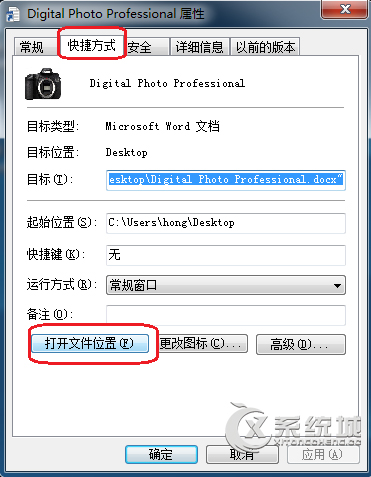
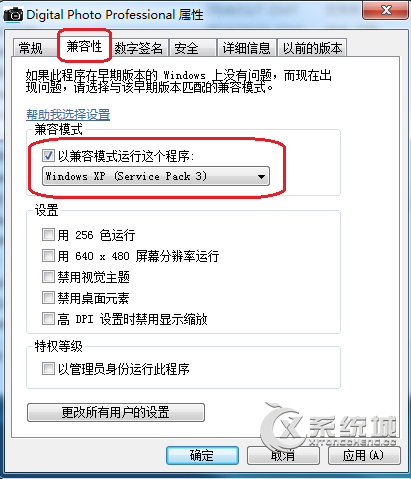
以 XP 相容模式執行通常可解決 DPP 在 Win7 上的模組錯誤。
Win7 工作列三大進階使用技巧
安全專家警告:Windows 7 仍無法有效防禦惡意軟體
Windows 7 環境下安裝 XP 雙系統:Ghost 映像還原與安裝光碟兩大法
Windows 7 旗艦版增值服務上線,免費提供 Tinker 與 Hold 'Em 兩款遊戲
Win7 安裝 Telnet 用戶端:控制台「開啟或關閉 Windows 功能」一鍵啟用
Windows 7 更新程式 KB974431 安裝失敗:因使用啟用工具導致,建議卸載重裝或斷網安裝
Win7 工作列不見了?個人化設定勾選鎖定、取消自動隱藏找回
Windows 7 桌面體驗改進亮點:側邊欄隱身、全新工作列、即時縮圖預覽、自訂通知區域