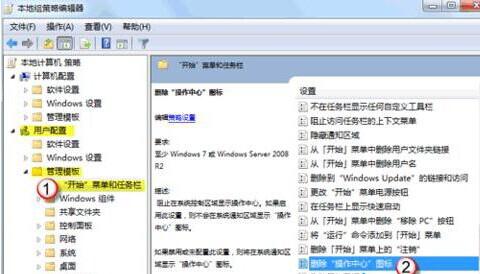
gpedit.msc
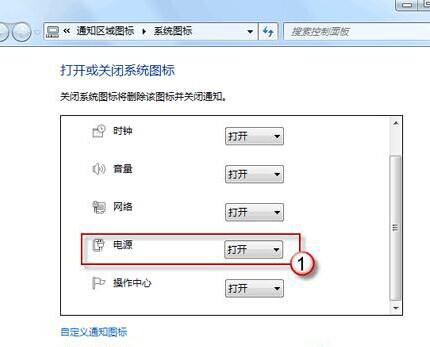
電池/電源圖示即恢復顯示於工作列通知區域。
Win7 環境下路由器選購指南:重要性與關鍵考量因素
Windows 8 關機後自動開機解決方法
Win7 刪除桌面右鍵「個人化」選項:註冊表移除 Gadgets 殼擴充
解決 Windows 7 無聲音問題:ThinkPad T61 實戰案例,原來是自動靜音惹的禍
解決雨林木風 Win7 系統右鍵「管理」導致 Explorer.exe 崩潰
Win7 不用右鍵選單、直接用鍵盤開啟檔案屬性視窗
Windows 7 如何查看 IP 位址?三種快速查詢法
Windows 7 聲音忽大忽小?關閉通訊活動音量自動降低功能與縮圖快取修復