在雨林木風 Win7 系統中,於「電腦」圖示右鍵選擇「管理」呼叫裝置管理器,頻繁導致 Explorer.exe 崩潰。重裝系統後問題依舊,非第三方軟體造成。
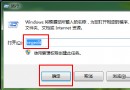
regedit 開啟登錄編輯器HKEY_LOCAL_MACHINE\Software\Classes\CLSID\{...}\Shell\Manage\Command%Windir%\System32\MMC.exe /s %Windir%\System32\Compmgmt.mscCompMgmt.reg 備份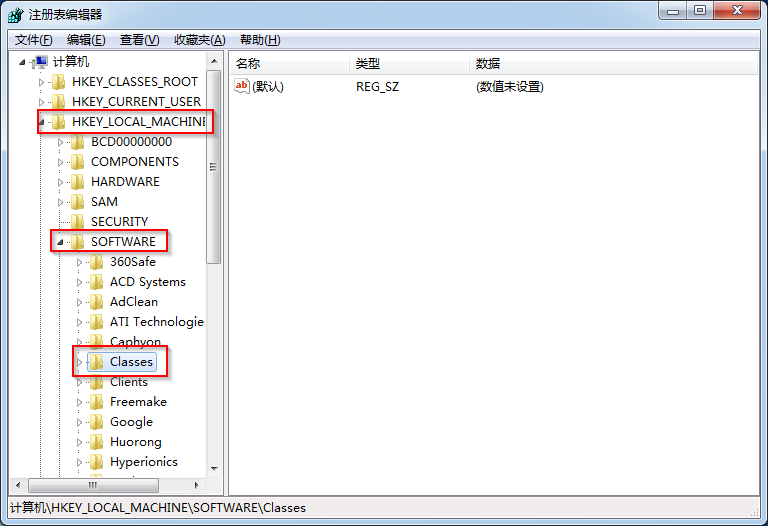
此修改採用 XP 系統下呼叫「電腦管理」的命令方式,雖為舊版指令,但在 Explorer 崩潰情況下仍能正常運作。多次測試後未再出現崩潰。
來源:Windows7en
Absolute Uninstaller:支援批次解除安裝、修復無效項目、重新關聯綠色版執行檔的系統輔助工具
Windows 7 首次公開亮相:2008 年 D6 大會與 WinHEC 2008 北京展示
Windows 7 開機啟動項大掃盲:啟動資料夾、註冊表 Run、msconfig、system.ini、win.ini 完整位置對照表
Windows 7 系統常見故障 14 類完整排解指南:從藍畫面到列印失敗
Win7 找不到攝影機圖示?C:\Windows\amcap.exe 是隱藏入口,可加至「電腦」資料夾