Windows 8/8.1 滑鼠移至右上/右下角可喚出 Charms Bar (搜尋、分享、開始、裝置、設定),但 Windows 10 預設隱藏此功能。實際上仍保留,可用快捷鍵喚出。
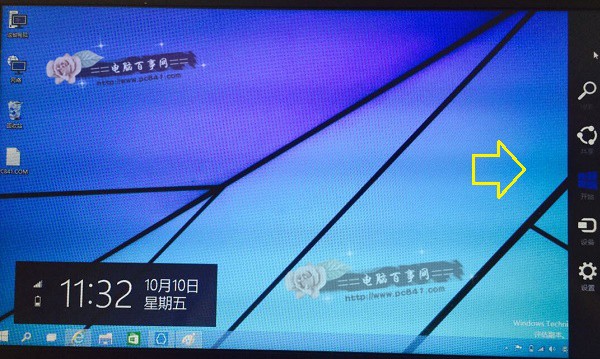
桌面任意位置按 Win+C 即可顯示右側邊欄 (現整合為通知中心/動作中心)。
Win10 更新 KB3081449 失敗錯誤 0x80070032 解決:清除快取與 DISM 修復
Win10 測試網速兩大法:線上測速網頁與 360 寬頻測速器
Win10 通知彈出位置怎麼改?修改註冊表 DisplayToastAtBottom 移動通知橫幅至螢幕底部/頂部
Win10 如何完整移除 McAfee (邁克菲) 試用版防毒軟體?原生解除安裝步驟
Windows 10 ESD 格式轉 ISO 完整教學:Dism++ 圖形化操作、五階段自動解密轉換、32/64 位對應版本
Win10 開始選單已卸載 Modern 應用圖示殘留怎麼清除?三種刷新快取方法徹底移除殘影