升級 Windows 10 後,C 槽會殘留 Windows.old 資料夾 (含舊系統檔案),佔用 10-30GB 空間。確認新系統穩定、無需回滾後,可用內建「磁碟清理」安全移除。
操作步驟
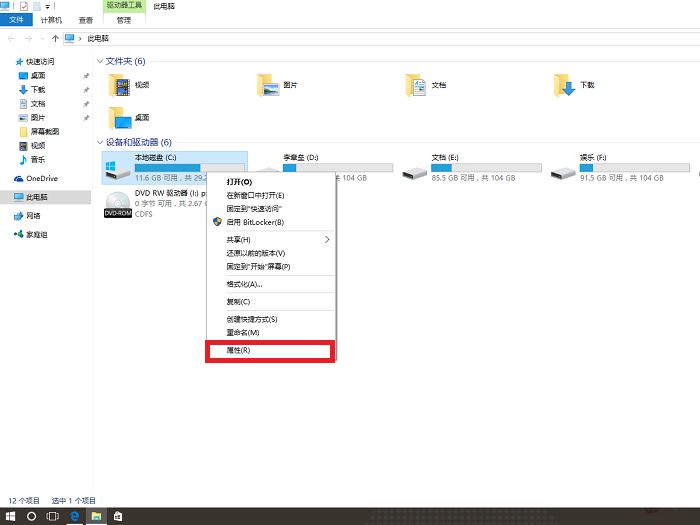
- 開啟「檔案總管」→ 「這台電腦」→ 右鍵 C: → 「內容」。
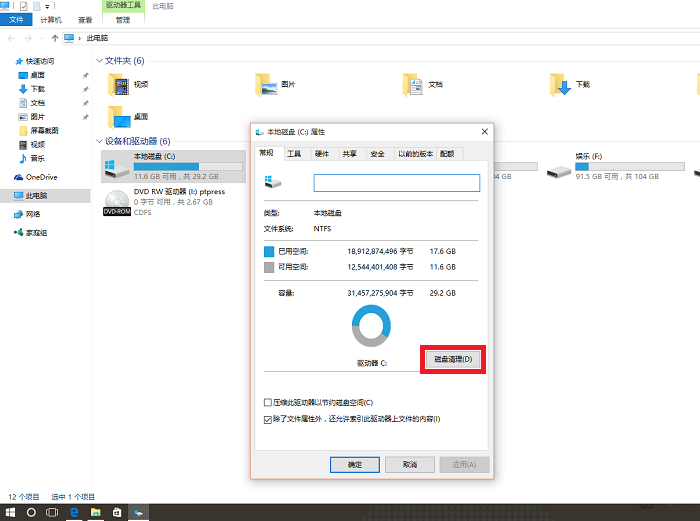
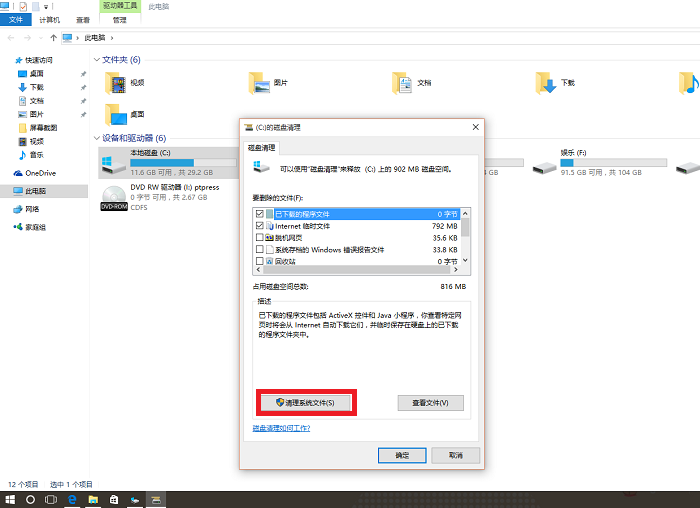
- 點擊 「磁碟清理」 → 等待掃描完成。
- 在清單中點擊 「清理系統檔案」 (需管理員權限,再次掃描)。
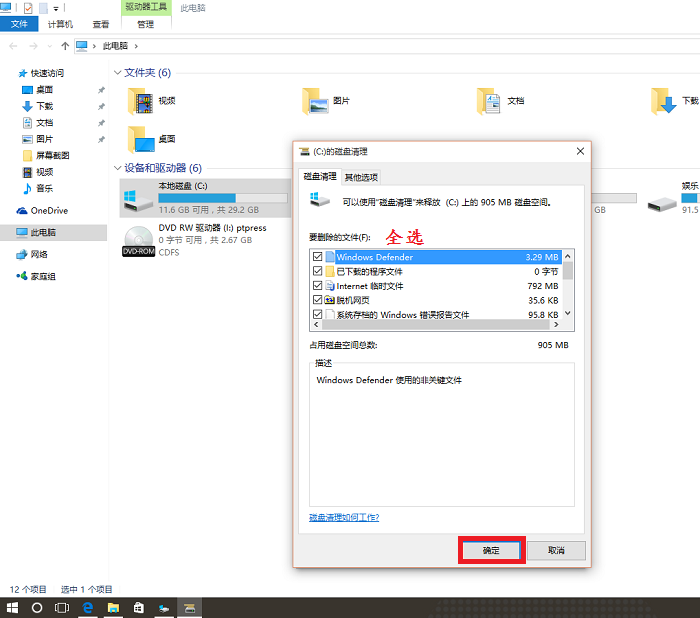
- 勾選 「以前的 Windows 安裝」 (即 Windows.old) ,可同時勾選「暫存檔案」、「回收站」等。點擊「確定」。
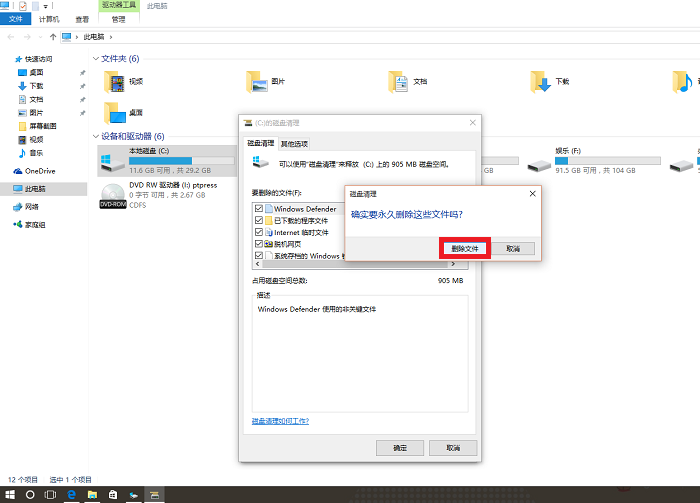
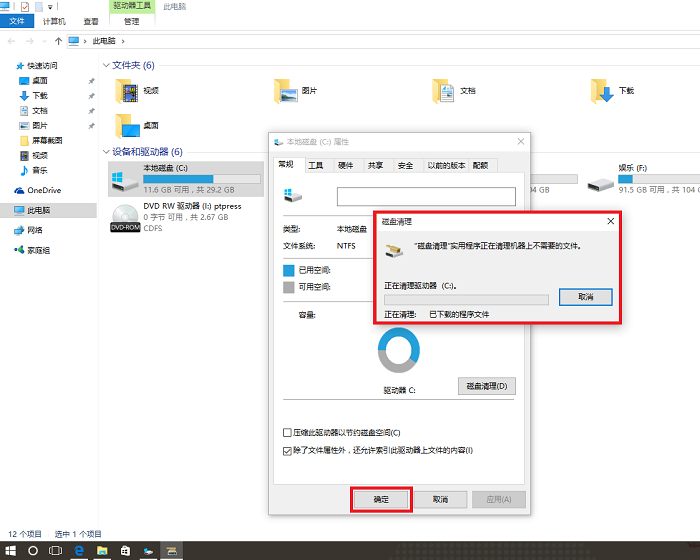
- 確認刪除 → 等待完成 (數分鐘)。
注意事項
- 刪除後無法透過「設定」回復舊版本 (僅能重新安裝)。
- 若「以前的 Windows 安裝」不出現,表示已自動清理或不存在。
- 命令列替代法:管理員 CMD 執行
cleanmgr /sageset:65535 → cleanmgr /sagerun:65535。